
- 対応
- iOS
どんなアプリ?
Zoom Rooms video conferencing systems use appliance or custom hardware deployments to bring high-quality video, audio, and sharing to any type of workspace, making it extremely flexible. Easily connect to participants on mobile devices, desktops, and in other rooms across a variety of locations.
App Store の説明を全文読む
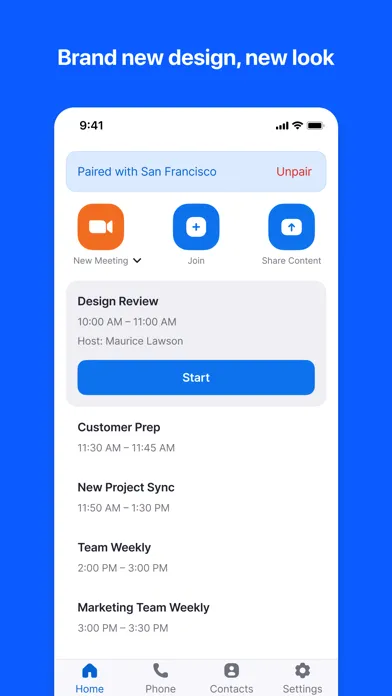
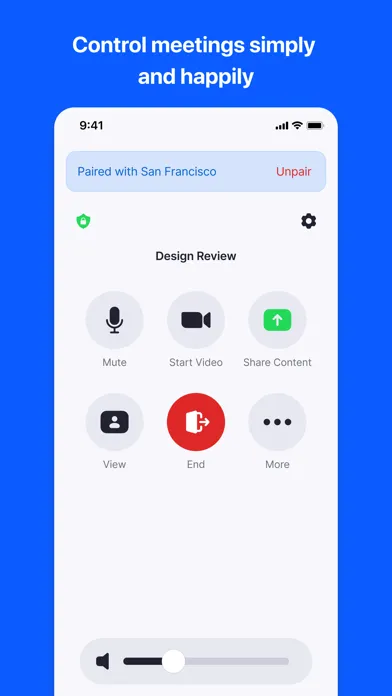
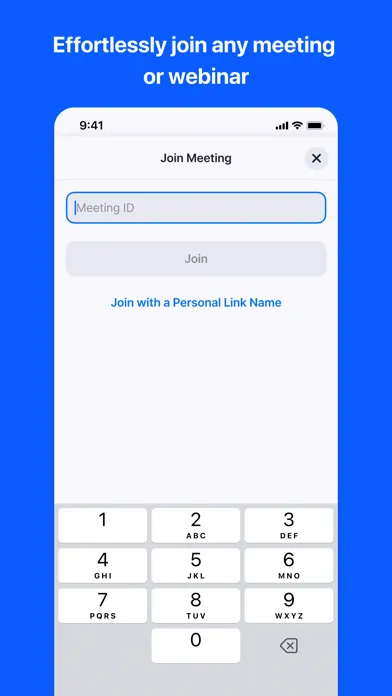
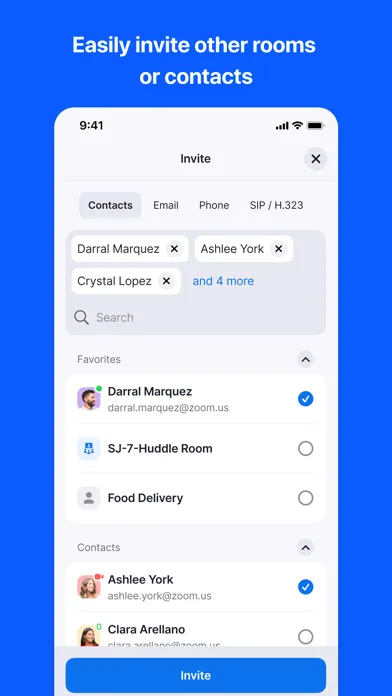
Zoom Rooms video conferencing systems use appliance or custom hardware deployments to bring high-quality video, audio, and sharing to any type of workspace, making it extremely flexible. Easily connect to participants on mobile devices, desktops, and in other rooms across a variety of locations. The Zoom Rooms app on iPad has five modes to choose from: Zoom Rooms Controller, Zoom Rooms for Touch, scheduling display, workspace desk, and reservation only room. Zoom Rooms Controller Connect your iPad to a Mac, PC, or Zoom Rooms Appliance as the dedicated Zoom Rooms Controller for that room. The iPhone app allows you to pair with a Zoom Room, giving you similar control functionality from your personal mobile device. Zoom Rooms for Touch Use the iPad as a Zoom Rooms (for shared spaces), Zoom Rooms kiosk, personal Zoom Rooms or Zoom Rooms digital signage only device. Zoom Rooms (for shared spaces) and personal Zoom Rooms allow you to start or join Zoom meetings, start a Zoom Whiteboard session, and access other Zoom Rooms features. Zoom Rooms kiosk can be configured to provide virtual receptionist and Workspace Reservation functionality. Zoom Rooms digital signage only can be configured to show digital signage content. Consult Zoom support documentation for more details. Zoom Rooms Scheduling Display Connect your iPad to a Mac, PC, or Zoom Rooms Appliance as the dedicated scheduling display for that room. A scheduling display is usually placed outside the room to show current availability, display upcoming meetings, and allow users to reserve the room on an ad-hoc basis. Workspace Desk Use the iPad to display the status of a workspace desk and allow users to make ad-hoc reservations or check in for their existing scheduled reservation with a QR code. Reservation Only Room Use the iPad to display the status of a workspace reservation only room and allow users to make ad-hoc reservations or check in for their existing scheduled reservation with a QR code. Simply install the Zoom Rooms app and follow the on-screen instructions to select a mode and activate. KEY FEATURES: ● One touch to join or start a meeting ● Intuitive room controls to easily manage audio, video, participants, and more ● Supports native room control integration to control lighting, projectors, and more Follow us on social @zoom! Have a question? Contact us at http://support.zoom.us.

編集部 PICK UP
Nib
聞き取れるメモ帳。録音すると AI が議事録・要約・次の一手に整えてくれる。
人気の推移
App Store(日本)の公式ランキングと評価数を APPBASE が毎日記録しています。
- ビジネス・無料 最高40位 (8/22)
| 日付 | ビジネス・無料 |
|---|---|
| 8/28 | 45位 |
| 8/27 | 40位 |
| 8/26 | 43位 |
| 8/25 | 48位 |
| 8/24 | 45位 |
| 8/23 | 42位 |
| 8/22 | 40位 |
| 8/21 | 48位 |
| 8/20 | 45位 |
| 8/19 | 48位 |
| 8/18 | 47位 |
| 8/17 | 55位 |
| 8/16 | 54位 |
| 8/15 | 54位 |
評価数の推移
現在 48 件 (7/31から +4 件)
数値で見る
| 日付 | 評価数 |
|---|---|
| 2026/10/23 | 48件 |
| 2026/7/31 | 44件 |
App Store のレビュー
App Store に投稿された実際のユーザーレビューです(公式フィードから自動取得・最新順)。
-
★★★★★ スマホ版とパソコン版の違い
スマホでアプリを入れて見ようとすると「近くのルームをコントロール」しか出てきませんでした。パソコンだとルームIDを入力してそれに入れるのにスマホだとできませんでした。スマホもパソコンと同じ機能にして欲しいです。
Rethe_____ ・ 2026年6月12日 ・ v7.0.6
-
★★★★★ 工場出荷前状態に戻す羽目になりました
インストールしても、zoomは使えず、その後、突然全画面にこのアプリが表示されて、ルームコードを入れてくださいと永遠に表示され、iPhoneが全く使えない状態に。再起動しても治らず、ブラウザ立ち上げをしようとしてもブラウザ立ち上がらず、センター通知も表示できず、結局、工場出荷前状態に戻すこととなりました。そもそも、普通にzoomに繋ぐアプリってどこいきました?わかりにくすぎる。最悪なアプリです。
やぬいら ・ 2025年7月20日 ・ v6.5.2
-
★★★★★ 不便利なApp
This App is difficult to connect with thin other members
Chitnyein ・ 2025年5月16日 ・ v6.4.5
-
★★★★★ iPad無しで運用
zoom roomsは基本、iPadなどのタブレットがコントローラーとして必要だが、専用に買うのも勿体ない。機種変した古いiPhoneが使えたら、と思ったらこちらが使えた。機器の設定ができないとか、多少の不便はあるが運用できてる。ただし、推奨された使い方かは不明のため自己責任で。
手書き自慢 ・ 2024年6月11日 ・ v6.0.7
-
★★★★★ 一切使えない
接続すら出来ない ゴミ
あび53 ・ 2021年4月20日 ・ v5.6.0
-
★★★★★ パスコードの問題
パスコード忘れるとパソコンの画面が切り替わらない、サポートが不十分なアプリなので入れないことをお勧め。この現象にハマってしまうと、どうしたら良いか?謎です。
curlyjapan ・ 2020年11月12日 ・ v5.2.2
レビューの続きは App Store で読めます。
情報
- バージョン
- 7.2.0
- 最終更新
- 2026/09/28
- リリース
- 2022/01/10
- サイズ
- 359.4 MB
- 必要環境
- iOS 15.0 以降
- 対応端末
- iPhone、iPad
- 対象年齢
- 4+
- 対応言語
- 日本語、NL、英語、フランス語 ほか13言語
最新バージョンの更新内容
User features (Zoom Rooms for Controller): • Enhancements to Google Meet logo in Zoom Rooms • Enhancements to Breakout room support in Zoom Rooms • Ad-hoc Tencent meeting join from the Zoom Rooms Controller • Enhancements to leave and end meeting button styling and order • External display shared room mode restricted to Personal Zoom Rooms Pro and Zoom Rooms Admin features (Zoom Rooms for Controller): • Sensitivity classification labels for scheduled meetings • Enhancements to the Zoom Rooms user interface • End of support for iPadOS 14 • Enhancements to self-view controls in dynamic gallery layout • Kinesis Video Stream (KVS) integration for Zoom Rooms • Option for Participant consent acknowledgment for custom Amazon Kinesis Video Streams disclaimers • Support for My Notes General features (Zoom Rooms for Controller): • Enhancements to camera mode selection in Zoom Rooms • Room controls access during webinars • Adaptive camera mode based on people count In-meeting features (Zoom Rooms for Controller): • Enhancements to transcript access in Zoom Rooms Scheduling display features (Zoom Rooms for Controller): • Enhancements to workspace photos on Scheduling Displays • Workspace notes visibility on scheduling displays AI features (Zoom Rooms for Controller): • Personalize Room Setup Preferences in Zoom Rooms • Support automatic disabling of Zoom AI features for restricted users in Zoom Rooms • Restrict Zoom AI for External Users and Participant Requests in Zoom Rooms • Zoom AI in-meeting user interface enhancements in Zoom Rooms General features (Zoom Rooms): • Enhancements to the Zoom Rooms user interface • Enhancements to the problem report form on Zoom for Government and Zoom for Defense • Enhancements to camera mode selection in Zoom Rooms • Reserve and pair or check in and pair from the Zoom Rooms homepage • Ad-hoc Tencent meeting join from the Zoom Rooms home screen • Sensitivity classification labels for scheduled meetings • Enhancements to multiple companion zoom room device support • Participant consent acknowledgment for custom Amazon Kinesis Video Streams disclaimers • Kinesis Video Stream (KVS) integration for Zoom Rooms • Multi-Companion Zoom Room support with Enhanced Media licensing • Optimizing Hot Desking and Reservation UX for co-working space-based Zoom Room Experiences • End of support for iPadOS 14 General features (Zoom Rooms External Display): • Support Phone • Support connect Zoom Rooms scheduling • Support Curved Screen • Restricted to Personal Zoom Rooms Pro and Shared Zoom Rooms • Support zoom client connect (ZMC) In-meeting features (Zoom Rooms): • Enhancements to transcript access in Zoom Rooms • Enhancements to leave and end meeting button styling and order • Enhancements to whiteboard sharing controls in meetings • Custom disclaimer for transcript • View-only support for rich text in in-meeting chat AI features (Zoom Rooms): • Enhancements to Zoom Rooms speaker identification in New Transcript using Smart Name Tags • Zoom AI in-meeting behavior, participant access, and interface design • AI in-meeting user interface enhancements in Zoom Rooms • Zoom AI restrictions when regulated users join Zoom Rooms meetings • Zoom AI restrictions for external users and participant requests Resolved Issues: • Minor bug fixes • Security enhancements