
Wallet Story - Expense Manager
WALLET STORY COMPANY LIMITED
App Store 評価: ★ 4.6 (36件)
- 対応
- iOS
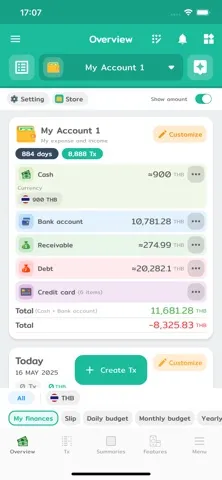
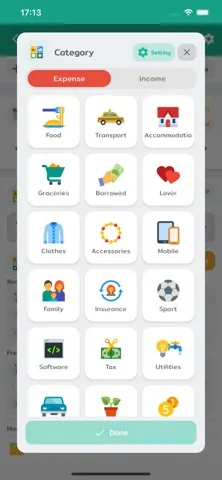
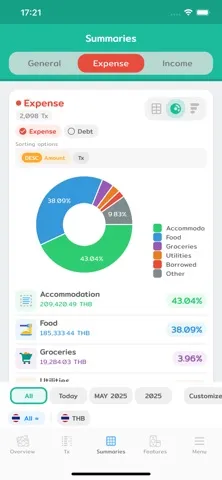
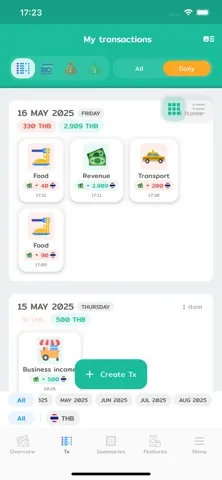
どんなアプリ?
Recording income and expenses is the simplest first step in financial planning. Wallet Story comes equipped with comprehensive features to cover all your financial planning needs. Let's start tracking your income and expenses. Begin your journey to financial freedom with us!
App Store の説明を全文読む
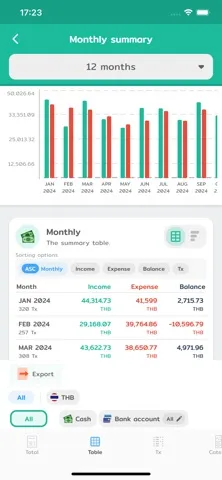
Recording income and expenses is the simplest first step in financial planning. Wallet Story comes equipped with comprehensive features to cover all your financial planning needs. Let's start tracking your income and expenses. Begin your journey to financial freedom with us! Unlimited and Customizable Tracking - Log unlimited income and expense transactions. - Create main categories with subcategories as needed. For example, categorize 'Food' into 'Coffee' or 'Pizza,' making your reports more detailed and comprehensive. - Add tags for specific events, like #ChiangMaiTrip, or instantly attach photos of your slips/receipts. Control Your Accounts and Debts Like a Pro - Read Slips and Receipts: Simply take a photo of a transfer slip or receipt, and the app will automatically read the information and create an income-expense entry for you, significantly reducing manual data entry time. - Simulate Bank Accounts: Easily manage deposits, withdrawals, and transfers. - Manage Debts and Receivables: Accurately track the status of your debts and outstanding income. - Recurring and Scheduled Transactions: Set up recurring income and expenses, such as salaries or mortgage payments, and the app will automatically create the entries each month. - Transaction Templates: Create templates for frequently used transactions to make logging faster without repetitive data entry. - Simulate Credit Cards: Systematically record and track your credit card spending with notifications for upcoming statement dates. Make Your Financial Future a Reality - Savings Goals: Set goals and track your savings progress in percentages. - Budgeting System: Define daily, monthly, or yearly budgets, both overall and for specific categories, to keep your spending in check. - Asset Tracking System: Manage your various assets, whether it's land, a house, or a car, to get a true overview of your net worth. - Investment Tracking System: Record your investments in stocks and various funds, including dividend information received, allowing you to systematically and easily monitor your investment returns. Easy-to-Understand Summaries and Reports - Various Summary Reports: View income and expense summaries daily, weekly, monthly, or yearly. - Charts and Graphs: Reports are presented with beautiful charts and graphs to give you a clear financial overview. - Calendar Summary: See your finances displayed in a calendar format, making it easier to understand and track your daily financial activities. Secure and Convenient - Data Backup: Easily export your data to back up as an Excel or Google Sheets file. - Customizable Icons: Choose from a wide variety of icons to personalize your entries and make them unique. - Customizable Themes: Change the app's color and style to your liking. Whether you prefer a light or dark theme, you can adjust it to fit your user style. -------------------------- Terms and conditions https://walletstory.app/terms Privacy policy https://walletstory.app/privacy # Credit Icons by icons8.com

編集部 PICK UP
Nib
聞き取れるメモ帳。録音すると AI が議事録・要約・次の一手に整えてくれる。
人気の推移
App Store(日本)の公式ランキングと評価数を APPBASE が毎日記録しています。
- ファイナンス・セールス 最高80位 (8/23)
情報
- バージョン
- 16.4.0
- 最終更新
- 2026/08/18
- リリース
- 2020/04/07
- サイズ
- 193.2 MB
- 必要環境
- iOS 15.0 以降
- 対応端末
- iPhone、iPad
- 対象年齢
- 4+
- 対応言語
- 日本語、MY、NL、英語 ほか16言語
最新バージョンの更新内容
Move a transaction into another book A row filed in the wrong book used to have exactly one remedy: delete it and type it again. Now it can be moved, one at a time, as a basket, or as an entire bank account with its history. The move is previewed first, says what will and will not come with it, and a batch can be moved back. Budgets that carry over, and a target for what comes in • A month that came in under passes what is left to the next one, and a month that blew the budget can pass the overspend on too, which is off by default. Nothing is stored: the carry is worked out from your real budgets and your real spending every time, so it can never drift from the transactions underneath it. • An income target. The app could cap spending and had no way to set a target for earning, which is the half that matters to anyone self-employed. • A budget line while you type: how much of that category's budget is left, under the amount field, instead of a warning a second after you save when you can no longer do anything about it. Tags stop rotting • Merge duplicate tags into one, across transactions, debts, receivables, templates, envelopes and the recurring queue. The one merged away is hidden rather than deleted, so nothing still pointing at it breaks. • The untagged money is something you can act on now. The "no tag" row opens the transactions behind it. Sub-categories gained the same: merge, hide instead of delete, and how much each is really used. Investing • A daily record of what the portfolio is worth, which makes a real equity curve, a maximum drawdown and a time-weighted return possible for the first time. It only runs forwards: nothing on the device knows what the market did before today. • Price versus currency: bought a US stock with baht and it is up 12%, how much was the company and how much was the currency. Templates and recurring items A template remembers how it is paid and how often you use it, so the ones you reach for sort to the top, and tapping a template card finally opens a prefilled form: before, it did nothing at all. Plus duplicate, copy to another book, and turning one into a recurring item. Recurring items gained an advance alert 1 to 30 days ahead, snooze and skip, resuming one you paused, and a warning when a subscription price has drifted. Faster, and easier to read • The summary screens are dramatically faster: a book with 20,000 transactions went from 5.8 seconds to 0.07. • Exported files are real spreadsheets again. Every cell used to be text, so summing an amount column answered 0 and dates sorted as words. Amounts are numbers, dates are dates, CSV is an option, you can pick a date range, and there is an export history. • A note beginning with "=" can no longer arrive as a live formula in an exported file. Also Fill in months from before you installed the app on the net-worth chart, credit-card reward points with a warning before they expire, a receipt discount per item, recurring items and card statements on the calendar before they happen, a 3-month average and a year-over-year overlay on the monthly chart, and the bank summary stops counting transfers between your own accounts as income and expense. Fixed • A failed save could take your cash with it: the money moved before the row was written, so the balance was left short with no transaction behind it, and the next tap took it again. • The bank ledger disagreed with the balance above it, and the debt and receivable ledgers disagreed with what was actually paid. • A budget moved to another period stayed on the old one, a budget deleted on one device came back, and quarterly budgets never synced. • Copying categories between books left the book you copied from claiming they belong to the other one.