画面ミラーリング - 全てのテレビ対応, TV Cast
Funsol Technologies FZE LLC
App Store 評価: ★ 4.3 (3件)
- 対応
- iOS
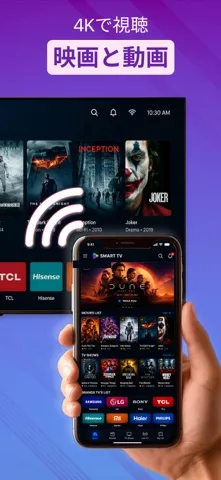
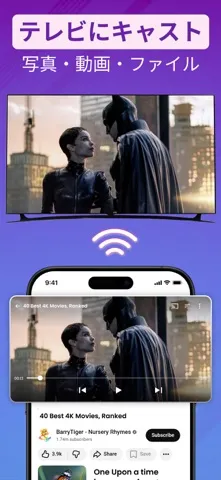
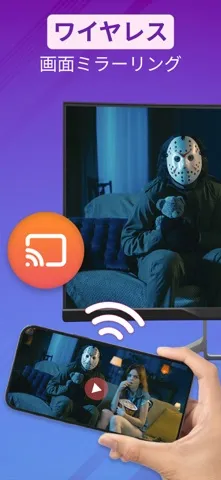
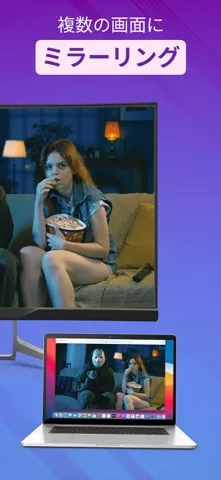
どんなアプリ?
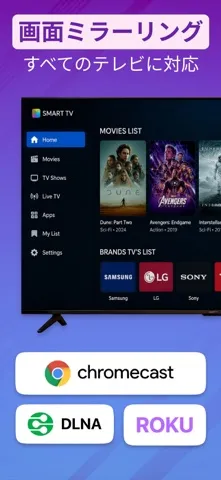
Screen Mirroring for All TVs makes it easy to mirror your iPhone screen and cast media to a bigger display. Connect your phone to a compatible Smart TV or streaming device and enjoy videos, photos, web content, presentations, and more on the big screen. Whether you want to watch videos with family, share photos from your gallery, show a presentation, or enjoy web media on TV, this app gives you a
App Store の説明を全文読む
Screen Mirroring for All TVs makes it easy to mirror your iPhone screen and cast media to a bigger display. Connect your phone to a compatible Smart TV or streaming device and enjoy videos, photos, web content, presentations, and more on the big screen. Whether you want to watch videos with family, share photos from your gallery, show a presentation, or enjoy web media on TV, this app gives you a simple way to connect and start sharing. Use Screen Mirroring for All TVs to: • Mirror your iPhone screen to a compatible TV • Cast photos and videos from your phone • Stream web videos to a larger screen • Share media with friends and family • Display presentations, documents, apps, and websites • Enjoy a wireless display experience from phone to TV How to Connect: 1. Make sure your iPhone and TV are connected to the same Wi-Fi network. 2. Open the app and allow local network access when asked. 3. Tap to search for available devices. 4. Select your compatible TV or streaming device. 5. Start screen mirroring or choose media to cast. Key Features: Screen Mirroring Mirror your iPhone screen to your TV and view apps, websites, presentations, documents, and more on a larger display. Photo & Video Cast Cast photos and videos from your phone gallery to your TV. It is perfect for sharing memories, travel videos, family moments, and personal media. Web Video Cast Open web content inside the app and cast supported videos to your TV for a better viewing experience. Wireless Display Use your TV as a bigger wireless screen for entertainment, sharing, presentations, and everyday viewing. Fast & Simple Setup Connect your phone and TV on the same Wi-Fi network, choose your device, and start mirroring or casting in just a few taps. Compatibility: Screen Mirroring for All TVs works with many compatible Smart TVs and supported streaming devices. Device discovery and casting performance may vary depending on your TV model, Wi-Fi network, device settings, and supported casting technology. Important: For the best experience, keep your iPhone and TV connected to the same Wi-Fi network. Some TVs may require you to allow or confirm the connection on the TV screen. Premium Access: Upgrade to Premium to unlock advanced features, enjoy a smoother experience, and access available premium tools inside the app. Subscription Information: Payment will be charged to your Apple ID account at confirmation of purchase. Subscriptions automatically renew unless auto-renewal is turned off at least 24 hours before the end of the current period. Your account may be charged for renewal within 24 hours before the end of the current period. You can manage or cancel your subscription anytime in your App Store account settings. Disclaimer: This app is not affiliated with or endorsed by any TV, streaming device, or technology brand. Compatibility and features may vary by device, model, network, and region. Privacy Policy: https://sites.google.com/view/privacyiosscreenmirroringnew/home Terms of Use: https://sites.google.com/view/term-condtion-screen-mirroring/home Support: https://docs.google.com/document/d/1f_ydIA8JjgvGGPRnrgeUImIQnqBCbDhnCUIw_E5sRAQ/edit?tab=t.0

編集部 PICK UP
Nib
聞き取れるメモ帳。録音すると AI が議事録・要約・次の一手に整えてくれる。
人気の推移
App Store(日本)の公式ランキングと評価数を APPBASE が毎日記録しています。
評価数の推移
現在 3 件 (8/6から +2 件)
数値で見る
| 日付 | 評価数 |
|---|---|
| 2026/9/6 | 3件 |
| 2026/8/6 | 1件 |
情報
- バージョン
- 1.1.1
- 最終更新
- 2026/08/18
- リリース
- 2026/07/01
- サイズ
- 115.7 MB
- 必要環境
- iOS 18.6 以降
- 対応端末
- iPhone、iPad
- 対象年齢
- 4+
- 対応言語
- 日本語、AR、BN、NL ほか10言語
最新バージョンの更新内容
Major bug fixes and performance improvements to make screen mirroring smoother, faster, and more reliable.