- 対応
- iOS
どんなアプリ?
After 10 years on the Mac and tens of thousands of happy users, The Clock now on your iPhone/iPad.
App Store の説明を全文読む
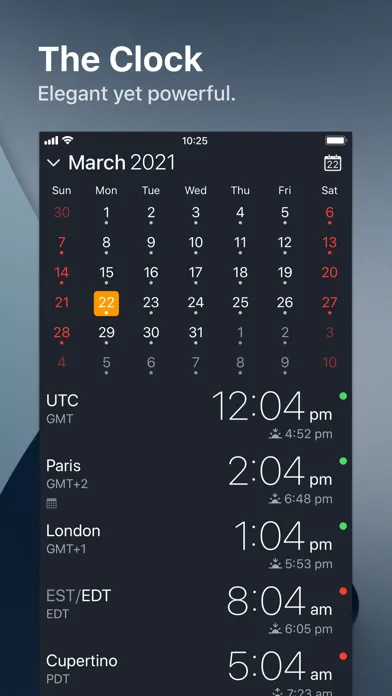
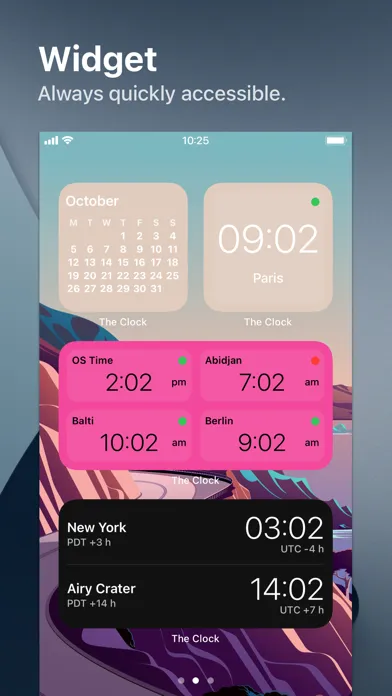
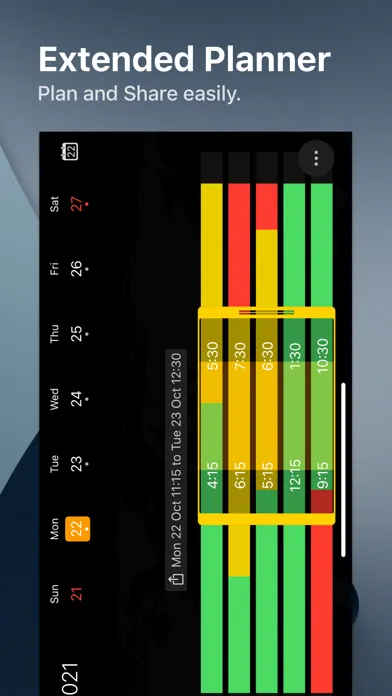
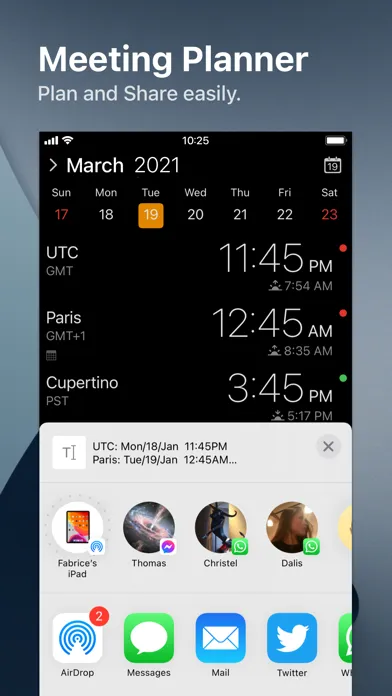
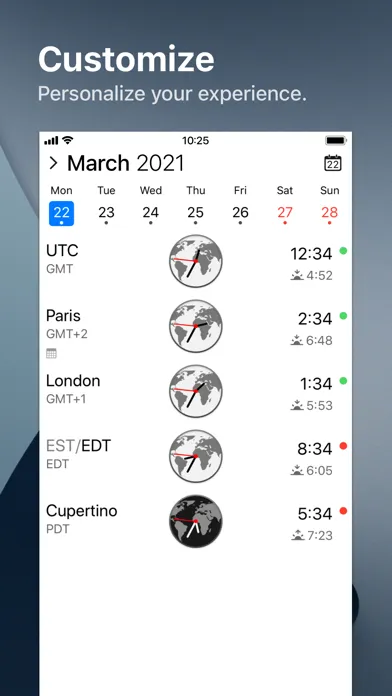
After 10 years on the Mac and tens of thousands of happy users, The Clock now on your iPhone/iPad. The Clock • Keep track, easily and efficiently of your contacts in different time zones. • Have a quick view on a Calendar, which can be integrated with the iOS Calendar • Easily setup meetings with the Meeting Planner. • Have a highlight on the Business Hours and Holidays of your subcontractors, customers, ... • Highly customizable. • Be reminded when to Take a Break and relax. • Widget ready for your convenience. • Siri Shortcuts available. • Responsive design to adapt to portrait/landscape view. • HandOff with The Clock on your Mac. The World Clocks • AM/PM or 24Hours. • Analog or Digital Clock view. • Choose among a wide range of complications • Business Hours. • Time offset. • Sunrise/Sunset. • Country. • Time Zone offset (PDT, CDT, UTC…). • Yesterday, Today, Tomorrow. • AM/PM, 24H. • Drag&Drop the world clocks to order them. • Beautiful clock face displaying day and night. • Personalize the world clock time format per cities. • Change the city name. • PDT, CDT, MDT, GMT… and more automatically adapting during daylight saving period. Meeting Planner • Meeting Planner swipe the screen to travel through time. • Business Hours led to check if your contact is in the working hours time frame. • Select a date in the calendar for an accurate Daylight Saving adjustment. • With the iOS Calendar integration into The Clock have a quick look on your schedule • With the Calendar Complication, automatically know if you are busy while planning a meeting. • Export easily your schedule information with the share menu or Drag & Drop (iPad). • Slider automatically round the time to 15/30 min. Calendar • Navigate the months with a tap, or keyboard shortcuts (iPad Pro). • Show/Hide the Calendar. • Toggle week/month view. • Show/Hide the weeks number. • Select your referenced calendar for the week number. (Regional settings, or ISO 8601). • Select a day in Meeting Planner for an accurate Daylight Saving adjustment. • Highlight days off per city. • Follow the iOS setting for Calendar first day of the week or set your own... • Choose to integrate or not with the iOS Calendar. • Have a quick view on your calendar events. • Calendar complication to immediately see what is coming next on your schedule. Accessibility • Voice Over. • Dynamic Type for font size to adapt to your need. • Color blind friendly. • Haptic feedback (for device supporting it). Other • Choose between 4 beautiful themes (White/Dark/Daisy Blue/Deep Dark). • Select clock faces. • Keyboard Shortcuts for most common actions (on iPad Pro with keyboard). • Backup/Restore your settings easily (Local, Dropbox, iCloud). • Enjoy the Take a Break feature, and relax. • And more … • And with a real user manual to go deeper in the discovery of all the features.

編集部 PICK UP
Nib
聞き取れるメモ帳。録音すると AI が議事録・要約・次の一手に整えてくれる。
情報
- バージョン
- 4.9.9
- 最終更新
- 2025/09/27
- リリース
- 2018/11/01
- サイズ
- 14.6 MB
- 必要環境
- iOS 17.6 以降
- 対応端末
- iPhone、iPad
- 対象年齢
- 4+
- 対応言語
- 日本語、AR、DA、NL ほか14言語
最新バージョンの更新内容
The Clock is ready for iOS 26. • Minor bug fixes and improvements.