


- 対応
- iOS

どんなアプリ?
**Synology NAS and the Synology Photos service enabled are required for this application.** **For optimal experience, DSM 7.2 or above is recommended.**
App Store の説明を全文読む
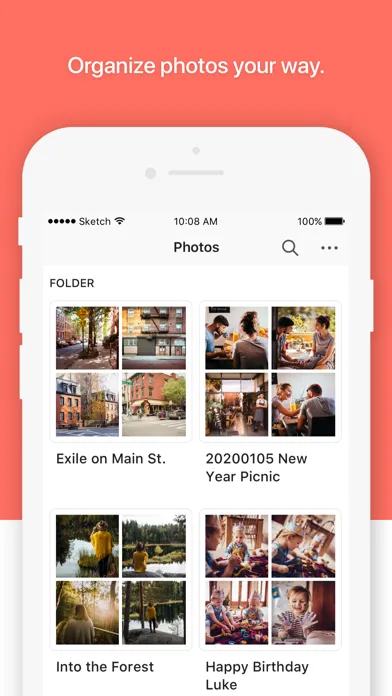
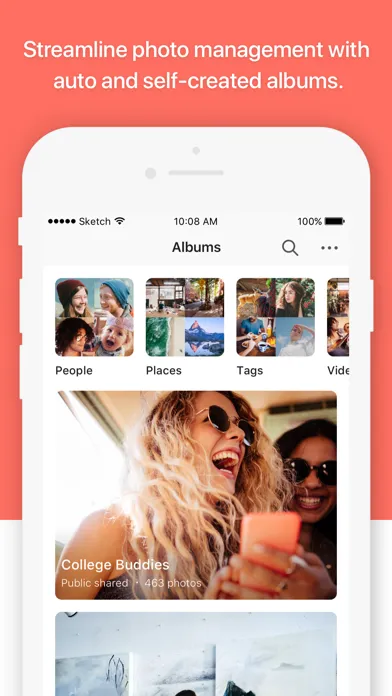
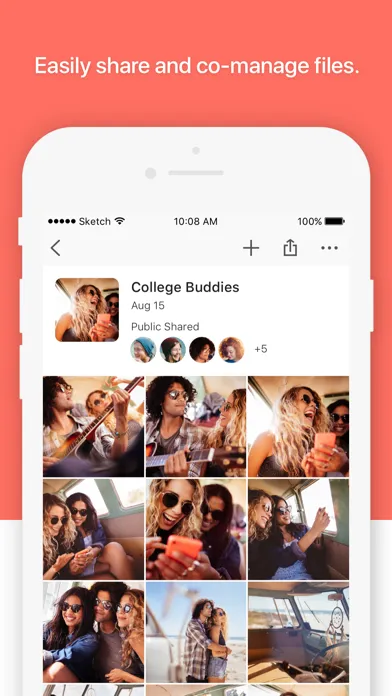
**Synology NAS and the Synology Photos service enabled are required for this application.** **For optimal experience, DSM 7.2 or above is recommended.** A flexible and comprehensive management tool that allows photo backup and browsing by chronological order or folder structure. Explore photos of loved ones or favorite vacation spots through AI recognition and auto-created albums. Group photos by themes or topics of your choice. Enjoy cherished memories in the palm of your hand.

編集部 PICK UP
Nib
聞き取れるメモ帳。録音すると AI が議事録・要約・次の一手に整えてくれる。
人気の推移
App Store(日本)の公式ランキングと評価数を APPBASE が毎日記録しています。
評価数の推移
現在 168 件 (8/7から +3 件)
数値で見る
| 日付 | 評価数 |
|---|---|
| 2026/9/22 | 168件 |
| 2026/8/7 | 165件 |
App Store のレビュー
App Store に投稿された実際のユーザーレビューです(公式フィードから自動取得・最新順)。
-
★★★★★ バックアップした動画の再生
同一wifiで繋いでいる時を除き、バックアップした動画の再生が信じられないほど遅く使い物にならない
ほうそうR ・ 2026年9月12日 ・ v2.4.0
-
★★★★★ 古い写真が表示できない
直近の写真は見えるが、2025年以前の写真はほとんどアプリで見れない。携帯のデータは削除したので、実際保存されているか不安です。
わやかさはら、わやた ・ 2026年8月5日 ・ v2.4.0
-
★★★★★ Zero stars: total time waste
First, it took me two hours to get working. It needed the iPhone settings to allow network usage from this app, but it didn’t tell me that. Instead it sent me on wild goose changes to set up QuickConnect, that even had it worked would’ve been 100 times slower than simply typing my IP address, but because network usage was blocked, that didn’t even work. Maybe more importantly, after I got it all...
ffdduihgfdwwtj ・ 2026年5月15日 ・ v2.3.2
-
★★★★★ バックアップと写真編集機能
•複数のバックアップ時、全ての写真のバックアップがまだ終わってない状態で”容量を解放”をするとまだバックアップが終わってない写真はiPhone上に残ってるのに消された扱いになり、以後、”容量を解放する”ボタンを押しても削除されないので写真アプリから手動で消す必要が出る。なのでバグ修正して欲しい。 •動画と写真をバックアップするときは写真を優先して欲しい。動画をバックアップすると時間長すぎて途中失敗が多い。それ...
ryo2021 ・ 2026年2月17日 ・ v2.3.0
-
★★★★★ I want the albums to be more convenient.
Albums can now be created in layers like folders This is because the iPhone's photo app has a hierarchical album structure, allowing you to further categorize the albums.
コーヒーマメプレミアム ・ 2026年1月3日 ・ v2.3.0
-
★★★★★ 使い難い。
⚫︎画像のバックアップでフォルダを「カスタム」で指定しているのに適応されない。 ⚫︎年などで整理しないとチェックを外しているのに適応されず勝手にフォルダが作られ整理されている。 ⚫︎アップロード画像の選択に「すべてにチェック」がないので一つずつ選ばなければいけないのは面倒臭い。 ⚫︎増えた画像は自動でバックアップできると思っていたがそれらしい設定項目はない。 ⚫︎UIがわかりにくい。
fiat500jpn ・ 2025年9月30日 ・ v2.3.0
レビューの続きは App Store で読めます。
情報
- バージョン
- 2.4.0
- 最終更新
- 2026/07/21
- リリース
- 2020/12/07
- サイズ
- 175.4 MB
- 必要環境
- iOS 17.0 以降
- 対応端末
- iPhone、iPad
- 対象年齢
- 4+
- 対応言語
- 日本語、CS、DA、NL ほか17言語
最新バージョンの更新内容
Important Note 1. Starting from this version, Synology Photos requires iOS 17 or above. What's New 1. Supports marking photos as favorites and viewing them in the Favorites album. You can also add the Favorites album as a photo widget and sync favorites with Apple Photos for photos backed up from the mobile device. 2. Supports viewing backup status at the top of the timeline view, with quick access to the task queue, backup settings, and features of "Focused Backup" and "Free Up Space". 3. Supports the Liquid Glass design on iOS 26. Bug Fixed 1. Enhanced backup performance and stability. 2. Fixed an issue where edited videos might be treated as duplicate files and skipped during backup. 3. Fixed an issue where an unexpected error might occur when opening albums that were no longer shared. 4. Fixed an issue where incorrect German was displayed in photo widgets. 5. Fixed an issue where photos uploaded from Shared Albums might not be removed when using Free Up Space or deleting synced photos. 6. Fixed an issue where changing time zones might cause duplicate backups.