
- 対応
- iOS
どんなアプリ?
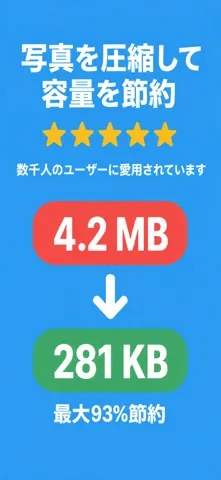
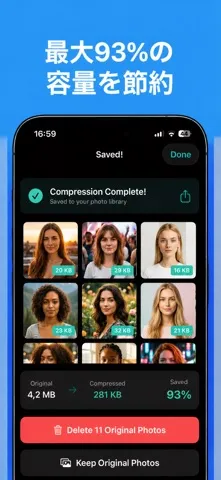
SizeFit – Smart Photo & Video Compression Reduce photo sizes in seconds without sacrificing visual quality. SizeFit helps you save storage space, share images faster, and keep your photo library under control — all directly on your device.
App Store の説明を全文読む
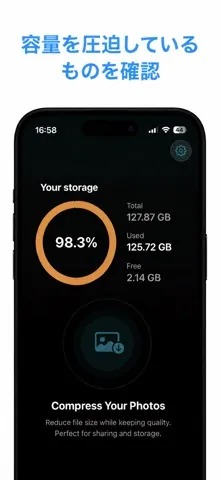
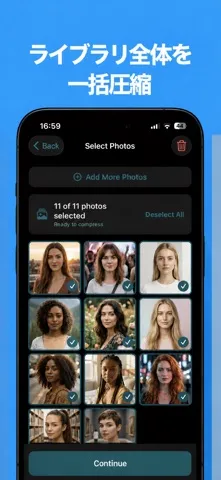
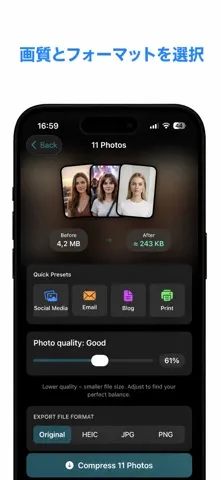
SizeFit – Smart Photo & Video Compression Reduce photo sizes in seconds without sacrificing visual quality. SizeFit helps you save storage space, share images faster, and keep your photo library under control — all directly on your device. Whether you're preparing photos for social media, email, websites, or everyday sharing, SizeFit gives you precise control over file size, format, and dimensions, with instant results and no cloud processing. Core Features Fast & Simple Compression Select a photo from your library and compress it instantly. Use optimized presets for common use cases like social media, messaging apps, or email, or adjust the settings manually when you need exact control. Predictable Results Fine-tune compression quality and image dimensions before exporting. SizeFit shows an estimated output size in advance, so you always know how much space you'll save before you commit. 動画圧縮 — 新機能 動画を圧縮してさらにストレージ容量を節約。グリッド表示で複数の動画を一度に選択し、圧縮設定を選んで一括処理できます。合計節約容量、平均圧縮率、各動画の結果を確認できます。 Batch Compression (Pro) Save time when storage is running low. Compress multiple photos at once with a single action — perfect for cleaning up large photo collections quickly. Flexible Export Formats Export images in JPEG, PNG, or HEIC, depending on your needs: JPEG for compatibility and sharing PNG for graphics and screenshots HEIC for efficient storage with high quality Resize with Confidence Set maximum width or height limits to create perfectly sized images for websites, online forms, profile photos, or uploads — no trial and error required. Metadata Management Choose what stays and what goes. Preserve metadata when needed, or remove it entirely to protect your privacy and reduce file size before sharing. Storage Savings Overview Track how much space you've reclaimed. SizeFit keeps a clear overview of your compression results so you can see the impact over time. Privacy by Design Your photos never leave your device. All compression and processing happens locally — no uploads, no servers, and no third-party access. SizeFit Pro • Remove all ads • Compress unlimited photos in batches • Choose default output formats • Customize resize and metadata preferences Download SizeFit and take full control of your photo sizes — save storage, share faster, and keep your images looking great. Privacy Policy: https://sizefit.netlify.app/privacy Terms of Use: https://sizefit.netlify.app/terms

編集部 PICK UP
Nib
聞き取れるメモ帳。録音すると AI が議事録・要約・次の一手に整えてくれる。
情報
- バージョン
- 1.4
- 最終更新
- 2026/06/05
- リリース
- 2026/02/03
- サイズ
- 20.1 MB
- 必要環境
- iOS 17.6 以降
- 対応端末
- iPhone
- 対象年齢
- 4+
最新バージョンの更新内容
今回のアップデート内容: • 共有して圧縮:iOSの共有シートから写真や動画をそのまま縮小。アプリを先に開く必要はありません。 • 空き容量を確保:最大サイズの写真、スクリーンショット、よく似た重複をすぐに見つけて、ワンタップで整理。 • ショートカット & Siri:画像を指定したサイズにハンズフリーで圧縮。 • 動画ツール:クリップをGIFに変換したり、音声を削除したり。 • ストレージのマイルストーン:どれだけ容量を取り戻したかを記録し、毎週やさしくお知らせ。 • パフォーマンスの向上とバグ修正。 SizeFitをご利用いただきありがとうございます!