
Screen Mirroring. ミラーリング
Elena Dorothy
App Store 評価: ★ 5.0 (1件)
- 対応
- iOS
どんなアプリ?
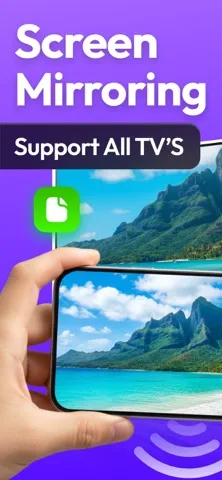
Easily mirror your smartphone or tablet screen to a TV, PC, or projector with our app. Stream your favorite content, apps, and games with crystal-clear quality and no cables required. Perfect for presentations, entertainment, or meetings.
App Store の説明を全文読む
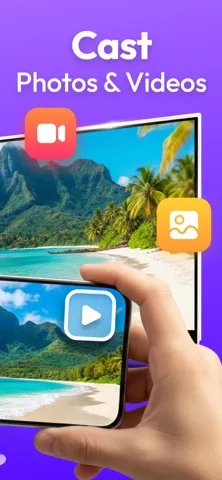
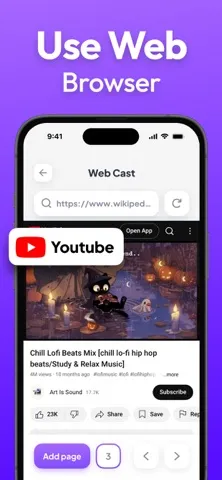
Put your iPhone on the big screen in seconds. Screen Mirror finds the TVs on your Wi-Fi, lets you pick one and shows your screen, photos, videos and web pages on it. No cables, no setup menus. HOW IT WORKS 1. Open the app. TVs on your network appear on their own. 2. Tap your TV. 3. Tap Share My Screen and confirm. You're live. WHAT YOU CAN SHOW • Your whole screen: apps, games, slides and video calls • Photos and videos from your library • Web pages: browse inside the app and cast the page you're on • Files: open a document and show it to the room WORKS WITH • Smart TVs that support DLNA / UPnP • Chromecast and Google TV • Roku Your iPhone and TV just need to be on the same Wi-Fi network. MADE TO BE EASY • A calm, simple design that stays out of your way • Always know which TV you're sharing to and when you're live • Built-in connection tips if a TV doesn't appear • Pick the app icon you like • Available in English, German, Spanish, French, Italian and Portuguese YOUR PRIVACY Screen Mirror opens only the photos, videos and files you choose. Nothing leaves your iPhone until you start casting, and your local network is used only to find and talk to your TV. PREMIUM Browsing your photos is free. Premium unlocks screen mirroring, video casting, Web Cast and Files. Premium is an auto-renewing subscription, offered weekly or yearly; prices are shown in the app before you subscribe and may vary by country. • Payment is charged to your Apple Account when you confirm the purchase. • The subscription renews automatically unless auto-renew is turned off at least 24 hours before the end of the current period. • Your account is charged for renewal within 24 hours before the current period ends. • You can manage or cancel your subscription anytime in your Apple Account settings. • Any unused part of a free trial is forfeited when you buy a subscription. Terms of Use: https://docs.google.com/document/d/139nAtxfhbpIAfcoSkKGmLO6_dy2Gia3Kt_JpT9pTTJY/edit?usp=sharing Privacy Policy: https://docs.google.com/document/d/1jAhZdLX27NvKjsdtJbIMr8BP3R1WG4s6NiSEBVpXdOg/edit?usp=sharing
編集部 PICK UP
Nib
聞き取れるメモ帳。録音すると AI が議事録・要約・次の一手に整えてくれる。
情報
- バージョン
- 1.0.4
- 最終更新
- 2026/10/26
- リリース
- 2026/05/24
- サイズ
- 55.4 MB
- 必要環境
- iOS 16.0 以降
- 対応端末
- iPhone
- 対象年齢
- 4+
- 対応言語
- 英語、フランス語、ドイツ語、イタリア語 ほか2言語
最新バージョンの更新内容
A fresh look and a quicker way onto the big screen: - New TV picker: nearby TVs show up as cards with their type. Tap one, then Share My Screen. Pull down to search again. - TV not showing up? Connection tips are now one tap away, right in the picker. - Calmer, cleaner design across the app, with easier-to-read text and a simpler Settings screen. - An animated welcome tour that shows how mirroring works. - Clearer permission messages, now in every supported language. - Fixes: the plan switch shows your choice right away, and the share button stays in sync when you stop sharing from Control Center.