
- 対応
- iOS
どんなアプリ?
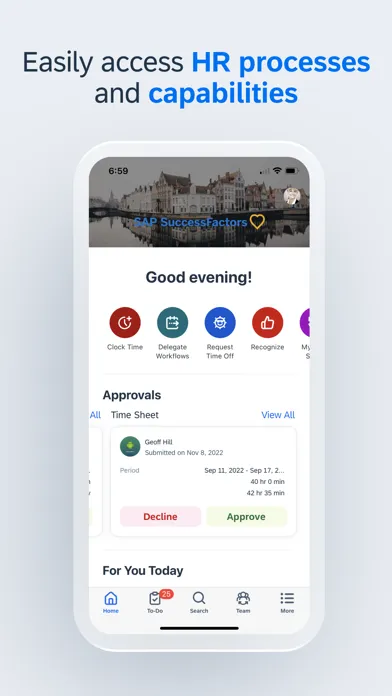
SAP SuccessFactors Mobile helps businesses bring HR closer to their employees, so they are more engaged, more productive, and much smarter about the way they work. SAP SuccessFactors Mobile provides a native, consumer-like experience, ability to meet strict security standards, manageability of features and functionalities in mobile devices and optimized procedures for mobile performance.
App Store の説明を全文読む
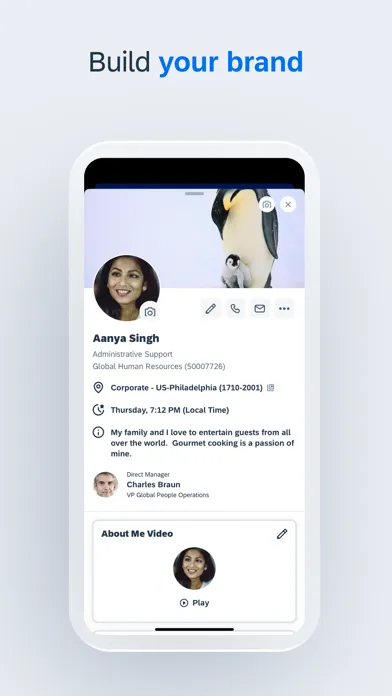
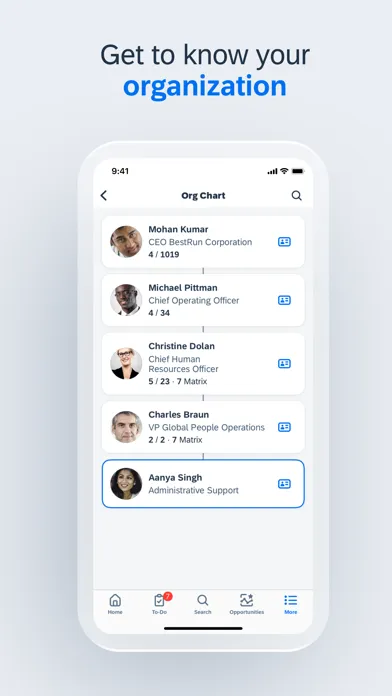
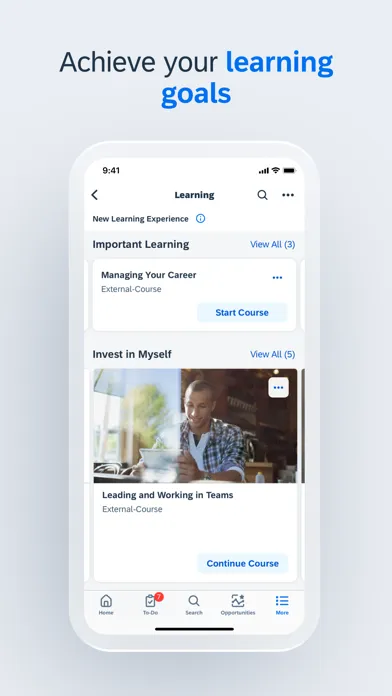
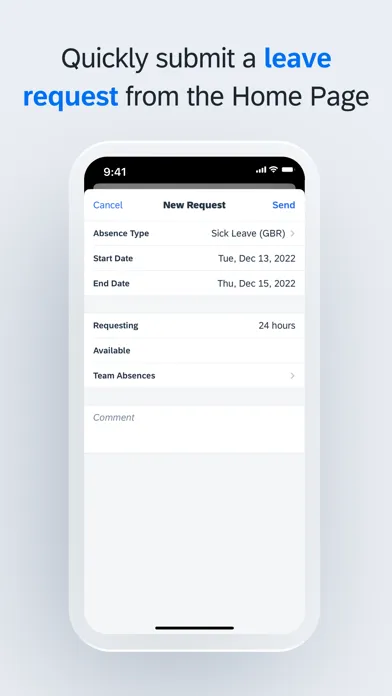
SAP SuccessFactors Mobile helps businesses bring HR closer to their employees, so they are more engaged, more productive, and much smarter about the way they work. SAP SuccessFactors Mobile provides a native, consumer-like experience, ability to meet strict security standards, manageability of features and functionalities in mobile devices and optimized procedures for mobile performance. Use SAP SuccessFactors Mobile to: · View employee profiles and call, text, or email them directly · Approve all your requisitions within seconds · View your company’s organization chart to see how everyone is connected, including direct reports, matrix reports and new hires · Post your own text, photo and video updates · View and add comments to entire documents, presentations, videos and links · Sign up for courses, connect with experts and complete entire classes · Manage your active goal plans and update your goal status and progress towards completion · View your time off balance, submit time off requests to your manager and let colleagues know when you will be away from work To make the most of the mobile app, we recommend that you grant the following permissions: · (Optional) Camera – For scanning QR codes and taking photos. · (Optional) Contact – For adding people to your device’s contact list. · (Optional) Calendar – For registering courses or class events in your calendar. · (Optional) Fingerprint/Face ID – As secondary user validation means. · (Optional) Location – For obtaining your location when you clock in or clock out. · (Optional) Notification – For receiving notifications. · (Optional) Photos – For uploading photos as attachments. (Note: This is a read-only permission and your photos are never modified. It is granted by default and can’t be denied by users.) You can use the app without granting optional permissions, except the specific features they enable. To deny the permissions, go to App > Settings > Permissions on your device. Important: If you are an SAP SuccessFactors customer and are having trouble logging in, contact your SAP SuccessFactors administrator. About SAP SuccessFactors SAP SuccessFactors provides the leading cloud-based SAP SuccessFactors HCM Suite, which helps HR drive business execution with solutions that are complete, beautiful, and flexible enough to start anywhere – optimizing your workforce today and preparing them for tomorrow. SAP SuccessFactors solutions are supported by a global partner ecosystem and the experience and commitment of SAP.

編集部 PICK UP
Nib
聞き取れるメモ帳。録音すると AI が議事録・要約・次の一手に整えてくれる。
App Store のレビュー
App Store に投稿された実際のユーザーレビューです(公式フィードから自動取得・最新順)。
-
★★★★★ SuccessFactors is actively painful to use
I need to be blunt: using SuccessFactors is one of the most frustrating software experiences I’ve had, and the problems are not edge cases — they hit on basic, everyday actions. 1. Approvals are unusably slow. After I click “Approve,” the system hangs for over 10 seconds before anything happens. For an action I perform constantly, this is indefensible. 2. Every page transition costs me 10+ secon...
ウルトラメーテルリンク ・ 2026年6月30日 ・ v17.0.7
-
★★★★★ 全く使えない
2段階認証だと必ず最初のアクティベート画面に戻されるんだが…どんだけセキュリティ高いんだよ、仕事させてくれ…
ぱたや ・ 2025年3月31日 ・ v13.1.3
-
★★★★★ ログインできなくなった
今までログインできていたIDでログイン出したくなった。困ったものです。
nwa_xing ・ 2025年2月19日 ・ v13.1.0
-
★★★★★ ログインできない
QRコード読み込んで、ログインしようとしたけど、何故だかアクティベート解除されて、ログインできない
toms150 ・ 2024年12月4日 ・ v13.0.1
-
★★★★★ ログインできない(cant login)
ログインするとアクティベーションが、解除され会社IDの入力からやり直すことを繰り返している。ブラウザからは閲覧可能だが一部表示されない。
匿名10963 ・ 2024年1月20日 ・ v11.0.3
-
★★★★★ 最悪のツール
正規のIDパスワードを入力してもログインすら出来ない。ブラウザ版を会社都合で使用しているが使い勝手は最悪。スマホへのレスポンシブ対応もできないままリリースなどしないで欲しい。
ななし0944 ・ 2023年8月14日 ・ v10.0.3
レビューの続きは App Store で読めます。
情報
- バージョン
- 17.2.2
- 最終更新
- 2026/10/20
- リリース
- 2011/04/13
- サイズ
- 505.5 MB
- 必要環境
- iOS 18.0 以降
- 対応端末
- iPhone、iPad
- 対象年齢
- 17+
- 対応言語
- 日本語、AR、BG、CA ほか37言語
対象年齢 17+ の理由
- 無制限のWebアクセス
最新バージョンの更新内容
BUG FIXES • Fixes an issue where the Approval Details button on the course home screen didn't open details. • Fixes an issue where the collapse button didn't show for online Learning content in full-screen mode. • Fixes an issue in Time Off where the "+1 day" suffix was missing from start/end times for midnight users. • Fixes an issue where the back button didn't show on Switch/Hidden/New Channels screens. • Fixes issues to improve overall app stability and reliability.