- 対応
- iOS
どんなアプリ?
Submit print jobs with ease through your phone or tablet!
App Store の説明を全文読む
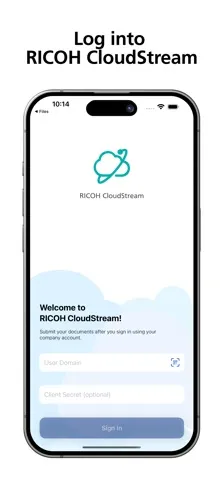
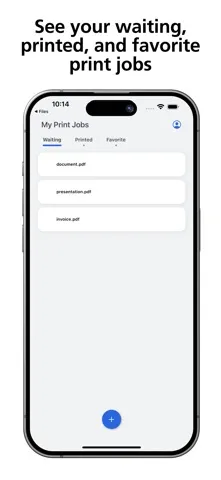
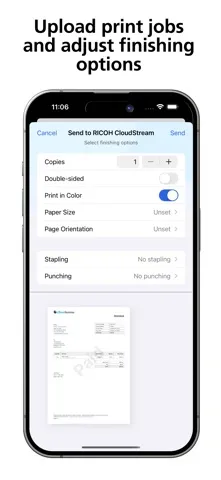
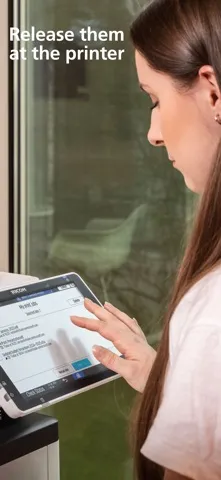
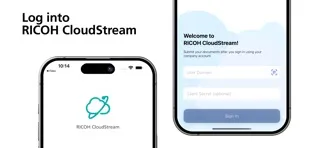
Submit print jobs with ease through your phone or tablet! The RICOH CloudStream mobile application works seamlessly with RICOH CloudStream, giving your organization effortless, secure, and flexible printing. This app gives you the ability to submit print jobs with your chosen finishing options, view waiting, printed, and favorite print jobs and delete documents you no longer need to print —all from your mobile phone. You get a unified authentication experience whether you log in through the WebUI, PC Client, or mobile app. Once you’ve authenticated yourself, you’re all set to start. To submit prints using your phone, simply open the app and from within, you click on the "+" button, select a document (either from your device or from your apps such as OneDrive, Google Drive, etc.), edit any finishing options (copies, paper size, etc.), and click "Send". The job will be uploaded, and you can then release it by logging into your MFP and releasing it like you’re used to. You can also “Send to” or “Share with” the RICOH CloudStream Mobile app directly from the documents you are working in. Happy printing!

編集部 PICK UP
Nib
聞き取れるメモ帳。録音すると AI が議事録・要約・次の一手に整えてくれる。
情報
- バージョン
- 2025.11.27.1
- 最終更新
- 2026/03/18
- リリース
- 2024/09/19
- サイズ
- 13.5 MB
- 必要環境
- iOS 17.0 以降
- 対応端末
- iPhone、iPad
- 対象年齢
- 4+
- 販売元
- RICOH COMPANY,LTD.
- 対応言語
- 日本語、AR、CA、CS ほか14言語
最新バージョンの更新内容
Fixed a problem where sharing a file to the application multiple times from the browser would fail.