
- 対応
- iOS
どんなアプリ?
Everyone wants to take great photos. However, many photos look "flat". The main reason for the flatness is because there is no light. Photography is an art of using light. Landscape photography is an art of using nature light. That's why great landscape photographers chase the light to the extreme. They captured the perfect moment when nature light from the Sun, the Moon or the Milky Way and Stars
App Store の説明を全文読む
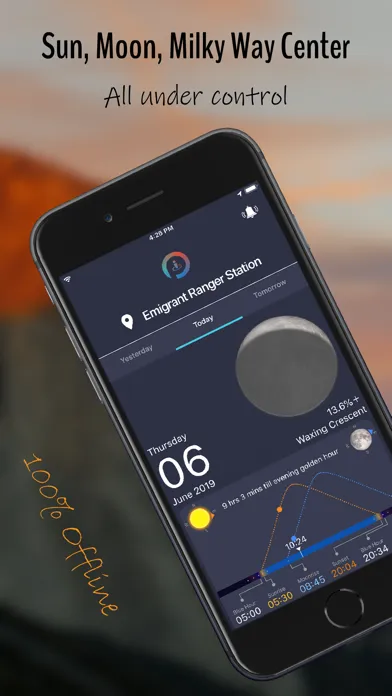
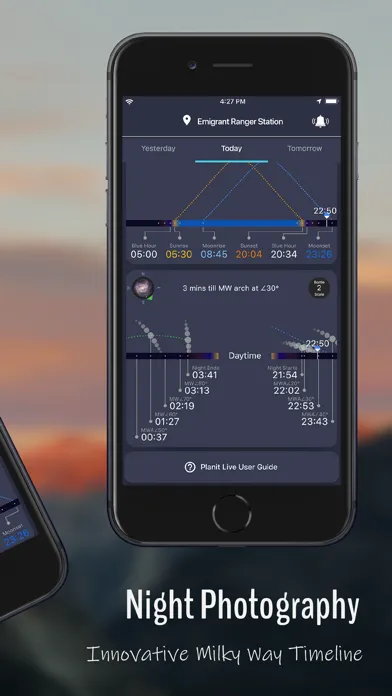
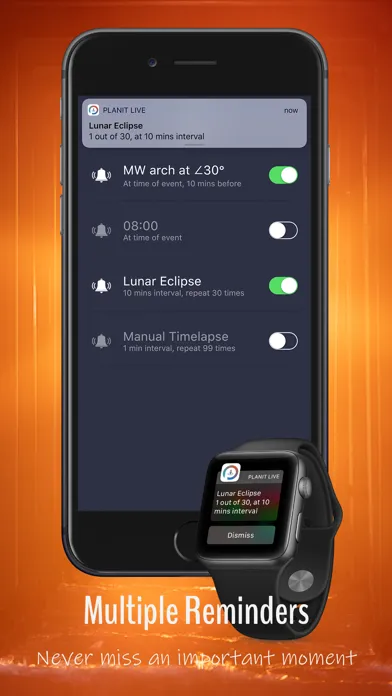
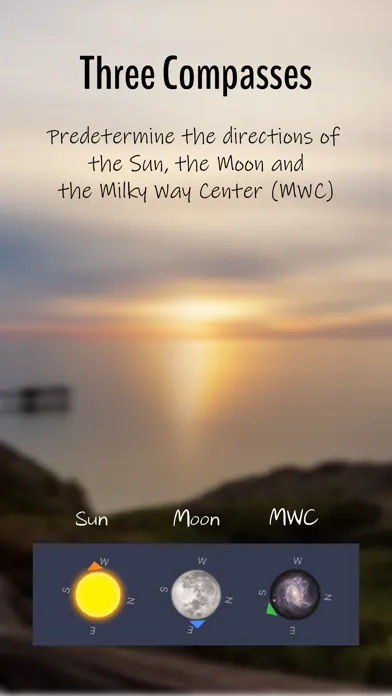
Everyone wants to take great photos, yet many photos look "flat." That flatness usually comes down to one thing: the light. Photography is the art of using light, and landscape photography is the art of using natural light. That's why great landscape photographers chase the light — they capture the perfect moment when natural light from the Sun, the Moon, or the Milky Way and stars hits the best angle or reaches the ideal position. Our other app, PlanIt Pro / PlanIt Earth, gives you a powerful tool for pre-planning these moments. But once you're on location, everything changes — you're racing against time and have no time to fiddle with your phone. That's why we created PlanIt Live: the best experience for photographers in the field. PlanIt Live isn't only for professionals. Anyone with a camera — even a phone camera — can benefit, and even if you don't shoot at all but simply want to witness a beautiful scene under ideal light, this app is for you. We designed Live around a single use case: you need a piece of information, you take out your phone, open PlanIt Live, get the answer at a glance, and put the phone away — the whole thing takes just a few seconds. In most cases you don't even need to tap anything. Apple Watch users often don't need the phone at all, thanks to reminders: set alerts for the ephemeris events that match your style, and the app will let you know when the moment arrives — right on your paired Apple Watch. So what does PlanIt Live offer? Daytime photography: sunrise/sunset, blue hour, golden hour, and moonrise/moonset times and directions. Night photography: dark-night start/end times, the Milky Way Center's position and timing in the sky, planets, star trails, and the Bortle dark-sky scale. Real Milky Way: rendered as an actual photographic image across the sky dome, precisely placed for your location, date, and time, with an optional H-alpha view that emphasizes the nebula regions. Astro Calendar: open it from the menu or by tapping the date in the header to see upcoming sky events — switch between Events, Moon, Night, and Aurora views, each with its own per-day indicator and day detail. Space weather & aurora: free cards for Live Sun, solar flares, solar wind, short- and long-term Kp forecasts, storm probabilities, and Aurora Tonight. More planning: Skyglow Dome for light-pollution impact, Satellite Position and Satellite Pass for tracking, plus Tide Model and Tide Station for seascapes. 3D Compass: directions to the Sun, the Moon, and the Milky Way Center at any time of day. Augmented Reality (AR): probably the most powerful field-planning AR available. Multi-lens switching and smooth zoom, teleconverter and wide-adapter (external lens) support, and overlays for the Sun, Moon, Milky Way, stars, constellations, and focal-length framing, plus rainbow, moonbow, terrain-outline, and light-pollution layers. Aim at a celestial object and tap Calibrate to align instantly, and capture photos/video right in AR with an info strip recording place, direction, and Sun/Moon/Milky Way details (Beta). Photography tools: handy calculators for depth of field, exposure, ND filters, panorama planning, timelapse, focus stacking, star trails, and single-star polar alignment. Reminders: event reminders, fixed-time reminders, and interval reminders. Card-based interface: a redesigned card menu with multiple pages, customizable card order, card search, and top-of-page shortcuts to jump to any card. Of course, this is just the beginning. If you were a PlanIt Pro user, you'll remember how many features we added over the years. Live will be the same. We'll keep adding what photographers need in the field, such as location (scouting) tracking and weather-related features. To thank everyone who has supported us, PlanIt Live is free to download and use for now. Please download it, use it, and share your feedback — let's build the most useful field app together.

編集部 PICK UP
Nib
聞き取れるメモ帳。録音すると AI が議事録・要約・次の一手に整えてくれる。
情報
- バージョン
- 1.5.4
- 最終更新
- 2026/08/13
- リリース
- 2019/03/27
- サイズ
- 80.4 MB
- 必要環境
- iOS 13.0 以降
- 対応端末
- iPhone、iPad
- 対象年齢
- 4+
- 対応言語
- 日本語、CA、NL、英語 ほか9言語
最新バージョンの更新内容
Version 1.5.3 • Redesigned menu — A cleaner, card-based layout puts everything within reach: quick-launch cards for the 3D Compass and AR, tidy Schedule and General groups, and a settings button right in the header. • Jump to any card — Shortcut buttons now run across the top of every page, one per card, so you can tap straight to the view you want instead of scrolling. • More calendar views — The calendar now switches between Events, Moon, Night, and Aurora, each with its own per-day indicator and detailed day breakdown. 1.5.4 New Sun views: H-alpha — The Live Sun card adds two ground-based hydrogen-alpha (H-alpha) views from the NSO/GONG network, right after Sunspots — a grayscale chromosphere view and an orange-tinted version — showing filaments, prominences, and flares. Fixed Moon surface orientation — The Moon's surface detail now stays correctly oriented in every phase, across the front page, 3D Compass, and AR. Previously, waning moons could show the craters and maria rotated about half a turn even though the lit phase and terminator were correct. Improved stability — Fixed several crashes involving location permissions, sensors, and app resume.