- 対応
- iOS
どんなアプリ?
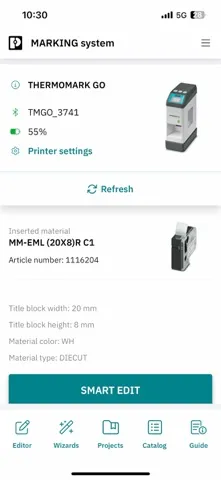
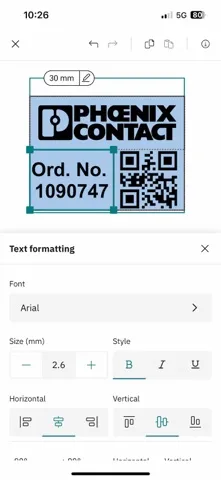
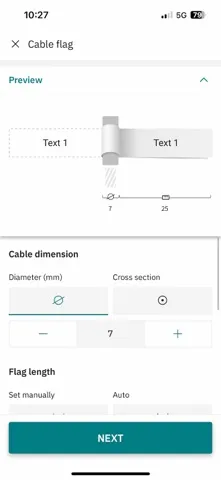
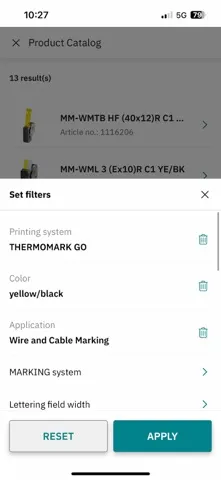
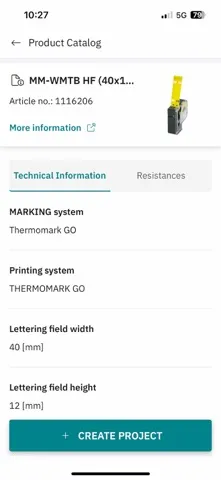
Which marking suits your requirements? Find out with the MARKING system app! With the help of the integrated wizards and based on your key criteria, you can select a marking material quickly and easily from more than 3000 marking solutions for three different marking technologies. Once the appropriate marking material has been found, the individual, application-specific marking solution can be des
App Store の説明を全文読む
Which marking suits your requirements? Find out with the MARKING system app! With the help of the integrated wizards and based on your key criteria, you can select a marking material quickly and easily from more than 3000 marking solutions for three different marking technologies. Once the appropriate marking material has been found, the individual, application-specific marking solution can be designed in no time at all – without requiring any specialist knowledge. The ability to create the necessary marking directly on site is a particular advantage when carrying out service call-outs where components need to be marked retrospectively. The label templates that are created can of course also be stored for future applications. Thanks to automatic data updates, you are always up to date. Functions of the MARKING system app: - Marking Editor: easy and mobile marking of marking material. - Application Wizards: efficient and step-by-step creation of application-specific marking solutions. - Application Guide: quickly and easily find the application-specific marking materials - no special knowledge of the field is required. - My projects: manage the projects you have created in a structured and clear manner. - Dashboard: the current printing status at a glance at any time. - Barcode scanner: easily and quickly call up matching marking solutions for Phoenix Contact terminal blocks. NOTE: Please note that the MARKING system app requires different permissions on your device for the full functionality. Bluetooth permission Without the permission to use Bluetooth, MARKING system is unable to connect to the available printers. Location permission Without the permission to access your location, MARKING system is unable to find the available Bluetooth printers. The location sharing is technically needed because we use the user-friendly BLE (Bluetooth Low Energy) technology to communicate with the THERMOMARK GO. With the help of BLE technology, available printers in the immediate surroundings can be automatically found and connected to the app. Camera permission Without the permission to use the camera, MARKING system is unable to scan barcodes.

編集部 PICK UP
Nib
聞き取れるメモ帳。録音すると AI が議事録・要約・次の一手に整えてくれる。
情報
- バージョン
- 4.4
- 最終更新
- 2025/11/28
- リリース
- 2016/05/06
- サイズ
- 160.6 MB
- 必要環境
- iOS 16.0 以降
- 対応端末
- iPhone、iPad
- 対象年齢
- 4+
- 対応言語
- 日本語、CS、DA、NL ほか15言語
最新バージョンの更新内容
• New, modern design for more intuitive use • Visual alignment with other Phoenix Contact marking solutions • Project-specific settings like font size and style are now saved across the entire project • Various stability improvements