- 対応
- iOS
どんなアプリ?
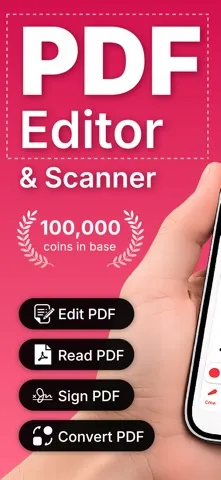
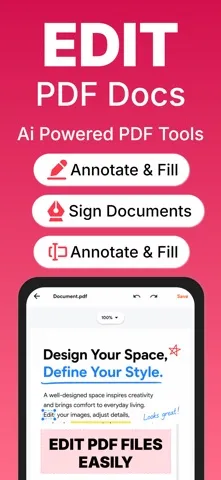
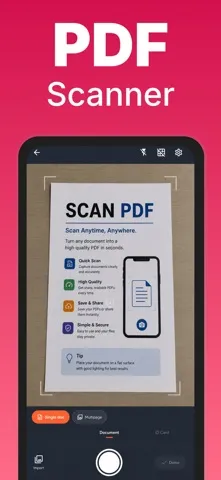
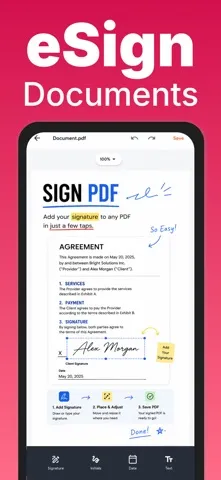
Ai PDF Editor & Scanner — Scan, Edit, Sign & Convert PDFs, right on your device. Turn your phone into a complete document workspace. Scan paper into crisp PDFs, annotate and fill them in, add your signature, and convert between PDFs and images — fast, private, and fully offline. No account, no sign-in, no cloud upload. Every file stays on your device.
App Store の説明を全文読む
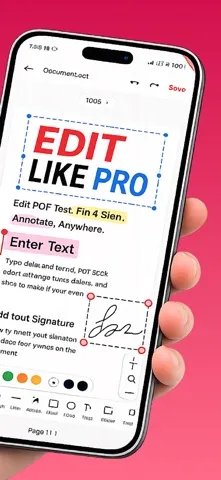
Ai PDF Editor & Scanner — Scan, Edit, Sign & Convert PDFs, right on your device. Turn your phone into a complete document workspace. Scan paper into crisp PDFs, annotate and fill them in, add your signature, and convert between PDFs and images — fast, private, and fully offline. No account, no sign-in, no cloud upload. Every file stays on your device. SCAN LIKE A PRO • Automatic edge detection crops and straightens each page for you • Perspective correction turns angled photos into flat, scanner-quality pages • Enhancement filters sharpen text and clean up shadows • Multi-page scanning — build a whole document in one session • Import existing photos straight from your gallery EDIT & ANNOTATE • Draw, highlight, and add lines, arrows, rectangles and ovals • Place text boxes anywhere on the page • Insert images onto your document • Move, resize, and delete anything with simple drag handles • Pinch to zoom, or use the zoom controls, for precise placement FILL & SIGN • Add your signature, initials, the date, or custom text • Reusable signature library — draw once, reuse everywhere • Position and resize each field exactly where it belongs • Flatten and save a finished, ready-to-share PDF POWERFUL PDF TOOLS • PDF → JPEG and PDF → PNG • JPEG → PDF • Merge several PDFs into one • Split a PDF into separate files • Compress PDFs to shrink file size • Export pages as a ZIP archive • Extract text from scans with on-device text recognition (OCR) STAY ORGANIZED • Save documents to Files and Recent • Create folders and move documents between them • Rename, favorite, share, or delete in a tap PERFECT FOR • Students digitizing notes and handouts • Professionals signing contracts on the go • Freelancers sending invoices and receipts • Anyone who needs to scan, sign, or convert without a printer or scanner — START YOUR FREE TRIAL Try every Pro feature free for 3 days. No commitment. Cancel anytime. Payment is charged to your Apple ID at confirmation of purchase. Subscription auto-renews unless turned off at least 24 hours before the end of the current period. Manage or cancel anytime in Settings > Apple ID > Subscriptions. SUBSCRIPTION DETAILS Currency Converter PRO is available as an auto-renewable subscription: Payment is charged to your Apple ID account at confirmation of purchase. Your subscription automatically renews unless it is canceled at least 24 hours before the end of the current period. Your account is charged for renewal within 24 hours before the end of the current period. You can manage or cancel your subscription in your Apple ID Account Settings after purchase. Any unused portion of a free trial is forfeited when you purchase a subscription. Prices may vary by region. A one-time "Remove Ads" purchase is also available. Privacy Policy: https://appenso.com/legal/privacy Terms of Service: https://appenso.com/legal/terms Contact: [email protected]

編集部 PICK UP
Nib
聞き取れるメモ帳。録音すると AI が議事録・要約・次の一手に整えてくれる。
情報
- バージョン
- 1.0
- 最終更新
- 2026/07/14
- リリース
- 2026/07/14
- サイズ
- 75.1 MB
- 必要環境
- iOS 15.5 以降
- 対応端末
- iPhone、iPad
- 対象年齢
- 4+
- 対応言語
- 英語