- 対応
- iOS
どんなアプリ?
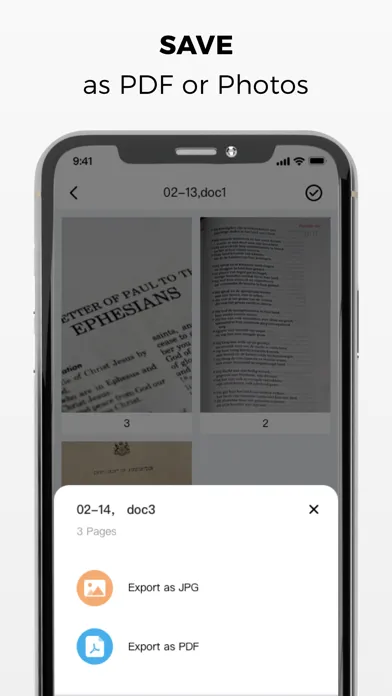
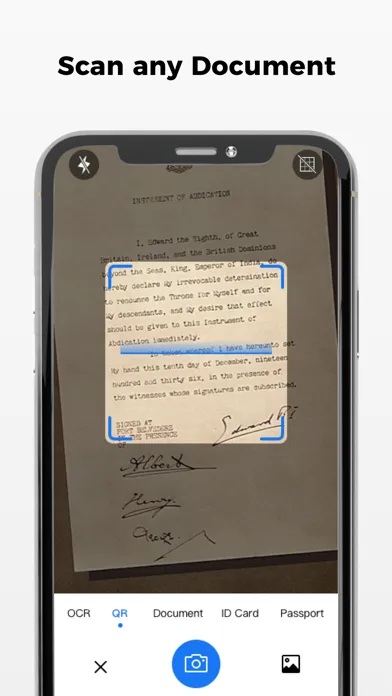
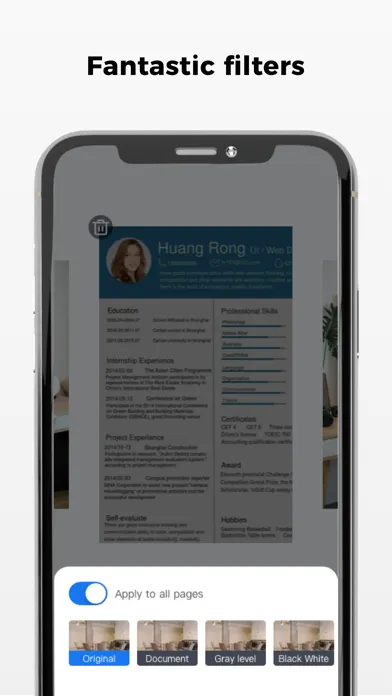
Super Scanner is a handy scanning app that turns your iPhone or iPad into a powerful portable scanner. Easily scan, save and share any document in PDF or JPEG format. Our scanner app will become an indispensable tool in everyday life. Scan anything you need, including receipts, documents, post-it notes, fax paper, and books, and store those scans in PDF or JPEG format in multi-page files.
App Store の説明を全文読む
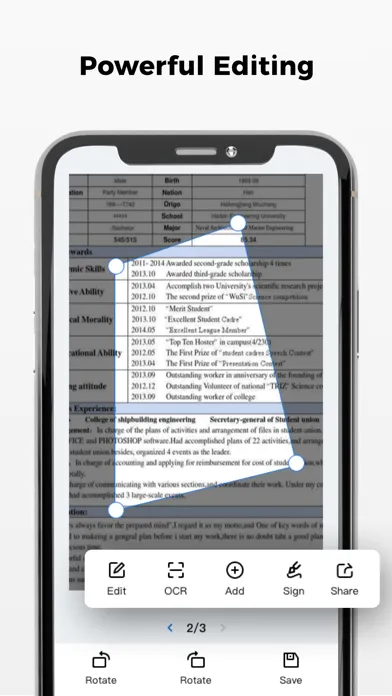
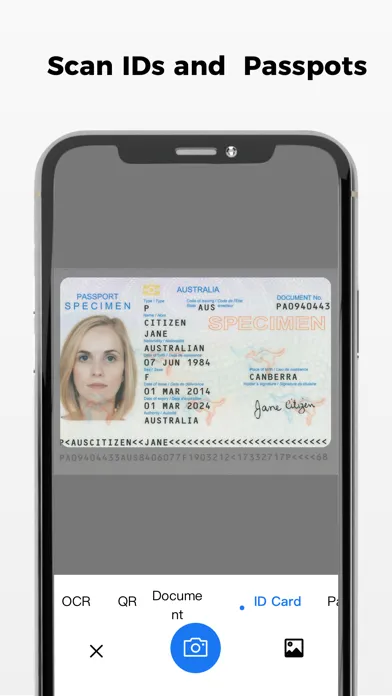
Super Scanner is a handy scanning app that turns your iPhone or iPad into a powerful portable scanner. Easily scan, save and share any document in PDF or JPEG format. Our scanner app will become an indispensable tool in everyday life. Scan anything you need, including receipts, documents, post-it notes, fax paper, and books, and store those scans in PDF or JPEG format in multi-page files. Save even more time with new features like OCR to recognize scanned text and electronic signatures, and add signatures to your documents in just a few steps. Take this portable document scanner with you everywhere; for your everyday business needs. It does not require an internet connection and all scans are stored locally on your device. If you need to protect your important scans, you can set a password to control the entire app, or you can lock specific folders or documents. Say goodbye to bulky desktop scanners and get a super fast PDF scanning app today! Main Features of Super Scanner: Advanced Scanning Application, PDF Format: Scan in high quality output, PDF or JPEG format - Save scanned output in grayscale, black and white or color Auto shutter and auto frame detection for anything you can scan Advanced image processing, color optimization and correction, denoising, automatic perspective correction, and more – Choose between low, medium and high resolution quality for scans Extract any text from scanned output or images using Text Recognition (OCR) - Multi-page scanning - scan any number of pages batch mode ID and Passport Scanning Mode Document handler: Electronically sign any document by adding your signature to the scan output within the app Cut, copy and paste pages in Scanner File manager: Full-featured file manager with drag-and-drop folders and document editing Manually sign your scanned documents or add signatures from photos Mark up documents, blur or blur the clarity of text you don't need to see Add text on forms or fill out documents with custom templates Protect your documents by locking folders and scanning outputs with passwords Sort documents by name, date or size - Choose from table and group view modes Document sharing tools: Share scan output via email - Save scan output to camera roll All scanned documents are stored locally on your device and cannot be accessed by us or any third party. You can easily share documents using the export option. Unlimited Benefit Membership Subscription - You can subscribe to get unlimited access to all features in the app Subscriptions are paid weekly, monthly, quarterly or annually at rates determined by the subscription plan. After confirmation of purchase, the required amount will be charged to your iTunes account Subscription automatically renews unless auto-renew is turned off at least 24-hours before the end of the current period Accounts will be charged for renewal within 24 hours prior to the end of the current period. Fees vary by plan selected Subscriptions may be controlled by the user and auto-renewal may be turned off by going to the user's Account Settings after purchase - Any unused portion of the free trial period will be forfeited when the user purchases a subscription plan In App Purchase: You can be a premium user and get more features through auto-renewable subscription: Price of subscription: 1 Month Plan- $7.99 1 Year Plan- $54.99 Terms of Service: https://sites.google.com/view/ssuperscanner/supper-scanner/terms-of-service Privacy Policy: https://sites.google.com/view/ssuperscanner/supper-scanner/privacy-policy Contact us: If you have any questions or suggestions, feel free to send them to: [email protected]

編集部 PICK UP
Nib
聞き取れるメモ帳。録音すると AI が議事録・要約・次の一手に整えてくれる。
情報
- バージョン
- 1.3.18
- 最終更新
- 2026/08/18
- リリース
- 2022/01/21
- サイズ
- 142.5 MB
- 必要環境
- iOS 15.0 以降
- 対応端末
- iPhone、iPad
- 対象年齢
- 12+
- 対応言語
- 日本語、AR、英語、フランス語 ほか12言語
最新バージョンの更新内容
Fix known issues and improve scanning performance