
- 対応
- iOS

どんなアプリ?
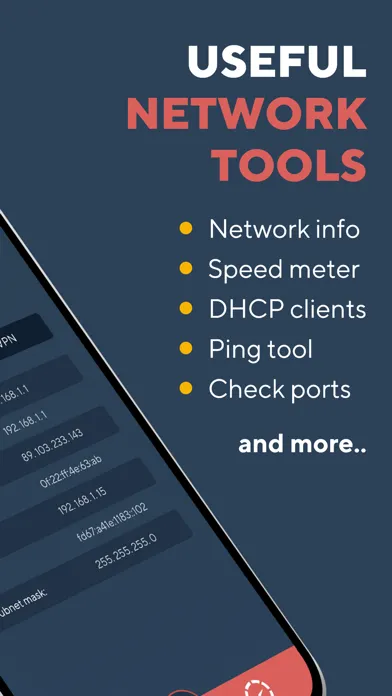
Network Analyzer will provide you with a detailed analysis of your home network along with network and cell information. NETWORK INFORMATION • Connection status You get main network info as external IP address, gateway and DNS server
App Store の説明を全文読む
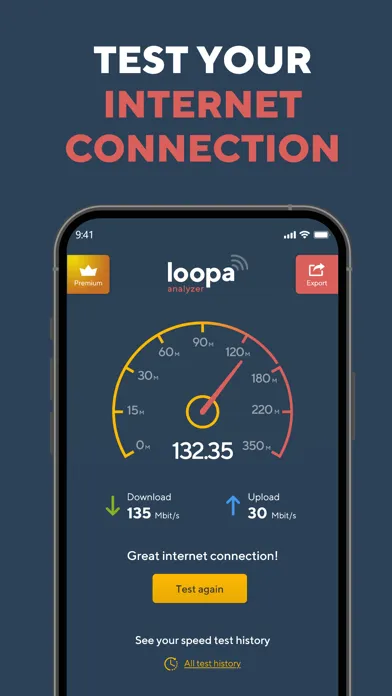
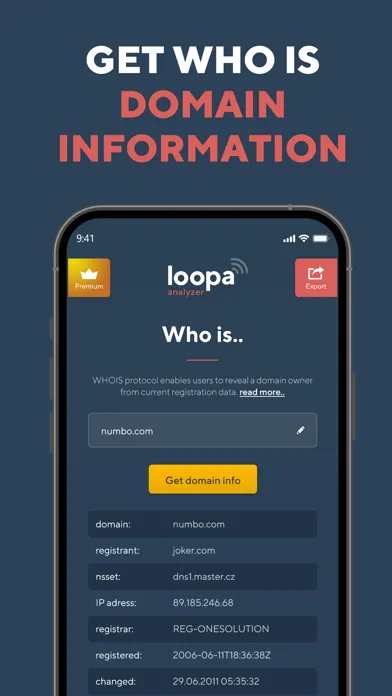
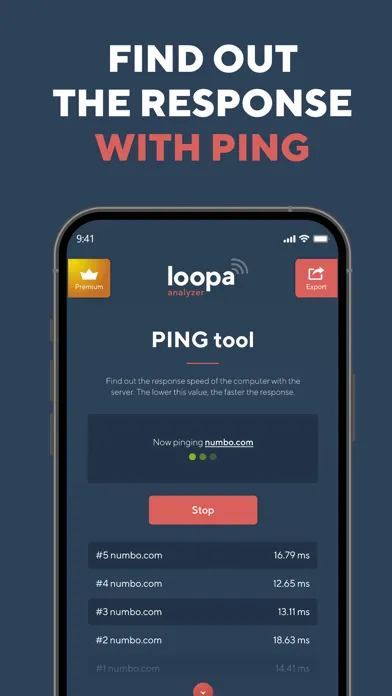
Network Analyzer will provide you with a detailed analysis of your home network along with network and cell information. NETWORK INFORMATION • Connection status You get main network info as external IP address, gateway and DNS server • Wi-Fi details Network Analyzer will tell you all the information you need to know about your Wi-Fi Connection status. SSID, BSSID, IP address subnet mask and vendor. • CELL Info All your cell information in one place - your network status and type, carrier ID and country, IP address, MCC and MNC, and VoIP support. • VPN details The provided info is VPN connection status, provider name, IP address and subnet mask. TOOLS • PING Let you test the reachability of a host on an Internet Protocol network. Gives you and idea about the latency to other IP. • TRACEROUTE Network diagnostic commands for displaying the route and measuring transit delays of packets across an Internet Protocol network. Shows you Internet path from you to other IP location. • PORT SCAN Port scanner allows you to quickly find open ports on network computers and retrieve versions of programs running on the detected ports. • DNS lookup & record details DNS Lookup tool fetches all DNS Records of a domain and shows as received. If you changed your hosting or DNS records, then this tool is for you to verify that your records are entered correctly to avoid any downtime. The records fetched by this tool are A, AAAA, CNAME, MX, NS, PTR, SRV, SOA, TXT, CAA. Select any record which you want to check or select ANY to get all DNS records of your domain. • WHOIS Data lookup WHOIS protocol enables users to access current registration data. The results displayed come directly from registry operators and/or registrars in real-time. WI-FI LAN SCANNER Discover a fast and reliable way to detect all network devices and gain insight into their IP address and vendor name. SPEED TEST Measure your internet speed with just one tap. Wifi Analyzer gives you accurate results about your real download and upload speed. Download Network Analyzer right now and gain a reliable speed test tool as well as detailed information about your networks. Were you satisfied with Network Analyzer? Please, take a moment and leave a review. ___ Network Analyzer offers a Premium subscription with access to all features and no ads for a year. Network Analyzer renews automatically, cancellations must be made at least 24 hours before your subscription ends to avoid renewal. You can manage or turn off Network Analyzer Master auto-renew from your iTunes Account Settings. Payment will be charged to iTunes Account at confirmation of purchase. Terms of Service: https://www.bestwifianalyzer.com/terms-of-use-conditions/ Privacy Policy: https://www.bestwifianalyzer.com/privacy-policy/

編集部 PICK UP
Nib
聞き取れるメモ帳。録音すると AI が議事録・要約・次の一手に整えてくれる。
App Store のレビュー
App Store に投稿された実際のユーザーレビューです(公式フィードから自動取得・最新順)。
-
★★★★★ 何の役に立つのか?
whoisその他をiOS端末から実行する意図がわからない。iOS11からLAN経由の端末情報の取得が出来ないので、分かるのはIPとその存在性だけ。ネット速度にしてもGoogleを使えば良いし。
Positrium ・ 2022年9月19日 ・ v2.4.0
-
★★★★★ んー
測定方法の問題か、異様に遅い値しか出ない。残念ですが参考にも使えません。
ちぇ、ちぇーん ・ 2019年10月2日 ・ v1.2
-
★★★★★ good
good job
やまちゃん75 ・ 2019年9月28日 ・ v1.2
-
★★★★★ いい
と思う
Hidelogy ・ 2019年8月1日 ・ v1.2
-
★★★★★ 今のところ使えてる
測定値の信憑性は確かめていないが 機能している模様です。 無料版しか試してないけど もう暫く利用して有料版にするか 考えます。
@8864 ・ 2019年5月15日 ・ v1.2
レビューの続きは App Store で読めます。
情報
- バージョン
- 4.0.5
- 最終更新
- 2023/10/06
- リリース
- 2017/11/16
- サイズ
- 16.8 MB
- 必要環境
- iOS 15.0 以降
- 対応端末
- iPhone、iPad
- 対象年齢
- 4+
- 対応言語
- 日本語、CS、DA、NL ほか12言語
最新バージョンの更新内容
Compatibility with iOS 17