Multica Go: Agent Teams
qiang he
App Store 評価: ★ 0.0
- 対応
- iOS




どんなアプリ?
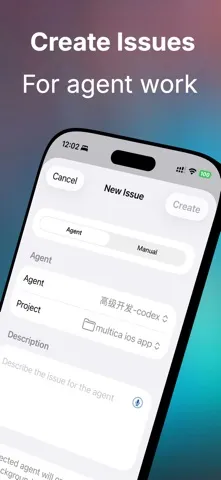
Multica Go is a native iOS client for Multica, built for managing AI agents, work items, projects, and conversations from your iPhone or iPad. Chat with agents, review inbox notifications, create and update issues, manage projects, track usage, and switch between Multica servers in a clean SwiftUI interface. Key features:
App Store の説明を全文読む
Multica Go is a native iOS client for Multica, built for managing AI agents, work items, projects, and conversations from your iPhone or iPad. Chat with agents, review inbox notifications, create and update issues, manage projects, track usage, and switch between Multica servers in a clean SwiftUI interface. Key features: • Chat with agents and view related task activity • Triage inbox notifications with read and archive actions • Create, edit, and comment on issues • Upload images and files to issues and comments • Manage projects and project resources • Search issues and projects across your workspace • View token usage, cost, runtime, and agent rankings • Switch workspaces and manage multiple servers • Connect to the default Multica API or a custom/self-hosted Multica server • Supports Light Mode and Dark Mode • Supports voice dictation for issue and comment writing Multica Go is designed for users who work with Multica agents and want a fast, native mobile workflow. Note: Multica Go is an unofficial client. A Multica account or compatible Multica server is required. Privacy Policy: https://en.1991421.cn/privacy Terms of Use: https://www.apple.com/legal/internet-services/itunes/dev/stdeula/

編集部 PICK UP
Nib
聞き取れるメモ帳。録音すると AI が議事録・要約・次の一手に整えてくれる。
情報
- バージョン
- 1.40.0
- 最終更新
- 2026/08/31
- リリース
- 2026/06/08
- サイズ
- 173.3 MB
- 必要環境
- iOS 18.0 以降
- 対応端末
- iPhone、iPad
- 対象年齢
- 9+
- 対応言語
- 日本語、英語、フランス語、KA ほか12言語
対象年齢 9+ の理由
- まれ/軽度な過激な言葉遣いまたは下品なユーモア
最新バージョンの更新内容
1. Browse all images in an Issue and preview comment images inline for clearer context. 2. Enjoy a clearer, more reliable attachment preview experience, including better handling for non-image files. 3. Find automations by name and see related projects, run status, and owners at a glance. 4. Open runtime machine details and navigate runtime information more directly. 5. Import Skills through a simpler, more convenient flow. 6. Share AI usage progress more flexibly, including ranking-only sharing, with refined usage cards. 7. Meet the new Niu Lai app icon, along with clearer information and smoother interactions in several areas.