
- 対応
- iOS
どんなアプリ?
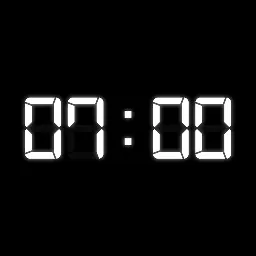
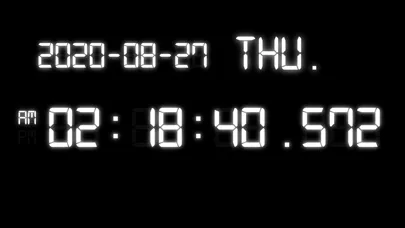
Millisecond Clock is a clock that provides you the most accurate time up to 1/1000 second (millisecond) on your iPhone or iPad. You can use it to measure a delay of your network and video streaming by simply reading the time difference between the camera display and the TV.
App Store の説明を全文読む
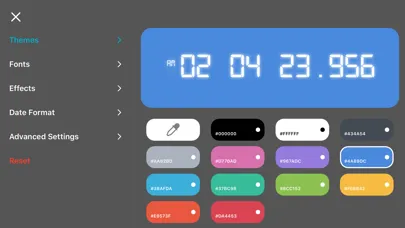
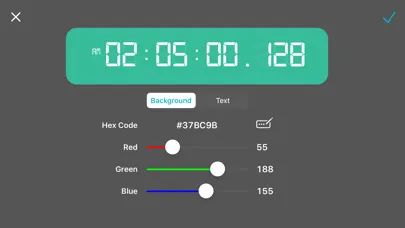
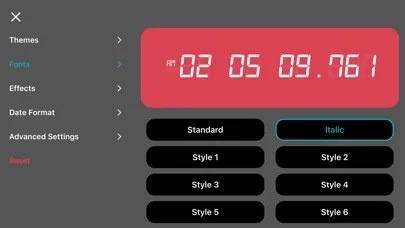
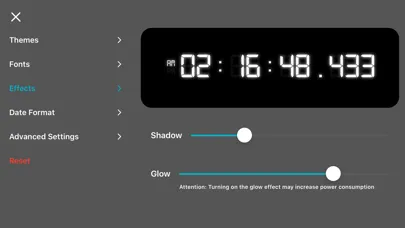
Millisecond Clock shows the exact time down to 1/1000 of a second, accurate enough to measure real delay in cameras, video streams, and network connections. Point a camera at the screen and compare it to another display: the difference in milliseconds tells you exactly how much latency you are dealing with. Beyond precision, Millisecond Clock is a clock you can make your own. Every part of it, from color and font to position on screen, is yours to design. DESIGN YOUR CLOCK- 13 built-in color themes, or create unlimited custom themes with the full color picker - 30 fonts, from the classic digital LED look to elegant serif and rounded styles - Adjustable glow and shadow effects for extra depth - Drag the clock, date, and weekday anywhere on screen, and resize each one independently STAY ON TIME, YOUR WAY- 12-hour or 24-hour time, with an optional blinking colon - 9 date formats to match how you write dates - Show or hide the date and day of the week - Toggle the millisecond display on or off BUILT TO STAY ON SCREEN- Keeps your screen awake so the clock is always visible - A true universal app, designed for both iPhone and iPad Millisecond Clock is free to use, supported by ads. A one-time in-app purchase removes ads and unlocks every premium theme, no subscription required.

編集部 PICK UP
Nib
聞き取れるメモ帳。録音すると AI が議事録・要約・次の一手に整えてくれる。
情報
- バージョン
- 2.4.0
- 最終更新
- 2026/09/03
- リリース
- 2020/08/27
- サイズ
- 4.0 MB
- 必要環境
- iOS 15.0 以降
- 対応端末
- iPhone、iPad
- 対象年齢
- 4+
- 対応言語
- 日本語、英語、中国語、中国語
最新バージョンの更新内容
- Resizing the time, date, and weekday on the main screen now works correctly, and your adjustments are saved. - "Reset Settings" no longer removes your purchases. Remove Ads and Unlock Themes stay active after a reset. - Color picker: the red, green, and blue sliders now respond reliably, and adjusting one channel no longer moves the others. Short hex codes (such as #FFF) are now supported. - The preview clock in Settings now follows your 12- or 24-hour preference and correctly shows 12 (instead of 00) at noon and midnight. - Fixed a case where the loading indicator could stay on screen after a purchase or restore didn't finish; purchases and restores are now more reliable. - General stability improvements and fixes for several rare crashes.