

- 対応
- iOS
どんなアプリ?
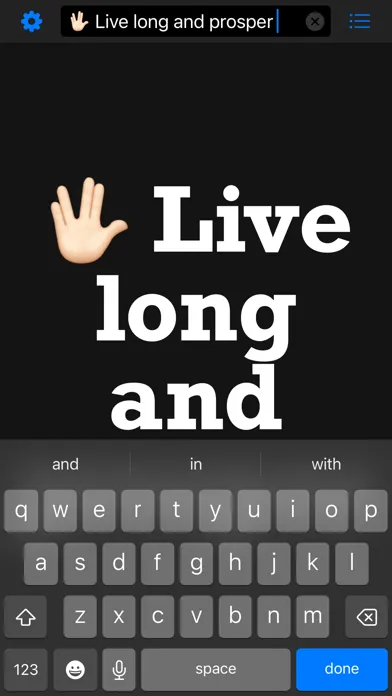
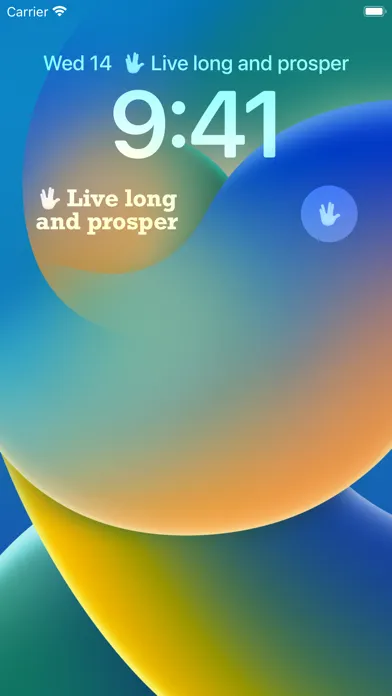
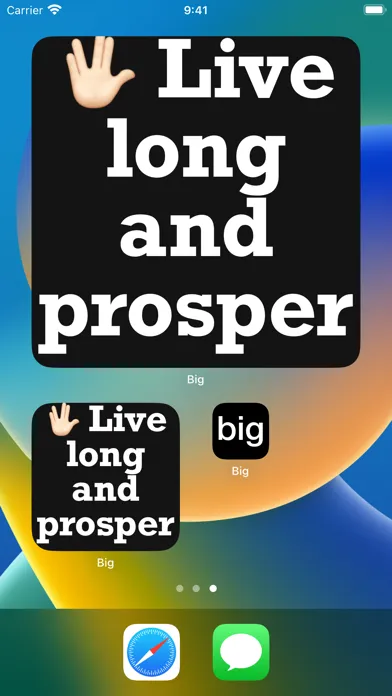
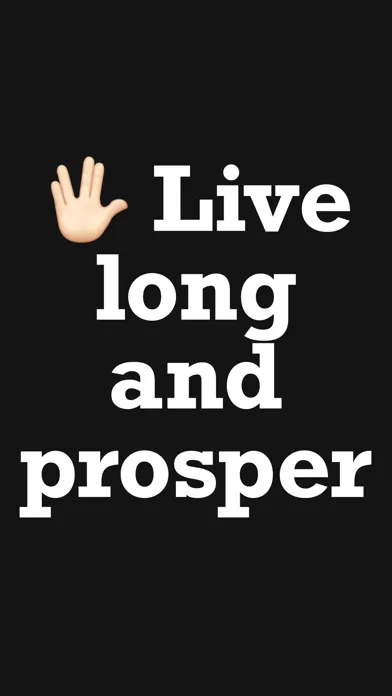
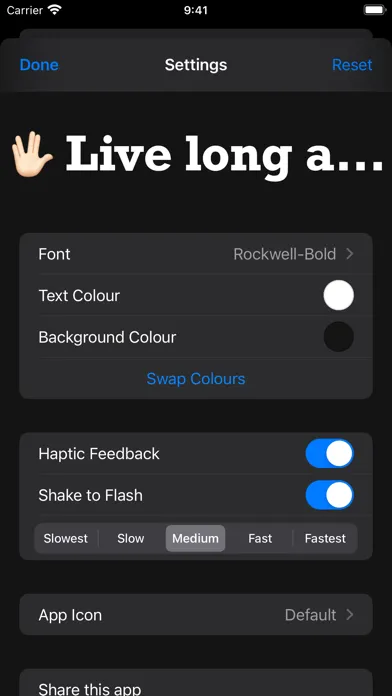
Type a message and Make It BIG! The message will be ENLARGED to fill the entire screen. FAST & EASY TO USE Tap screen to edit text, Tap screen again to hide the keyboard. WIDGETS Show your latest message in a widget, now supporting iOS 16 Lock Screen Widgets. PORTRAIT AND LANDSCAPE Rotate and hold your device in any direction, the text will automatically resize to fill the entire screen.
App Store の説明を全文読む
Say it without speaking. Turn your iPhone or iPad into a full-screen message with Make It Big. Type what you want to say, then tap to display it in large text that automatically fits your screen. Show a message across a room, communicate in a noisy place, or hold up a name at an airport. Make It Big is also a simple way for Deaf, hard-of-hearing and nonverbal people, and anyone who cannot or prefers not to speak, to share a written message. No ads. No tracking. No account needed. Works offline. TYPE, TAP, SHOW Tap to edit your message, then tap again to hide the keyboard and show it full screen. Short messages make the biggest impression. FOR EVERYDAY MOMENTS Order in a busy café, share a note at a concert, show a pickup sign or communicate somewhere quiet without saying a word. WIDGETS, SIRI AND SHORTCUTS Keep your latest message handy with Home Screen and Lock Screen widgets. Use Siri or the Shortcuts app to display a message, or open Make It Big from Control Center. PORTRAIT OR LANDSCAPE Hold your device whichever way works best. Your message automatically resizes when you rotate the screen. YOUR MESSAGE, YOUR STYLE Choose a font and set your text and background colours. Swap the colours whenever you like, and turn haptic feedback on or off. SHOW IT AGAIN Find previous messages in Recents so you can display them again without retyping. Share individual messages as text, or share all your saved messages at once. OPTIONAL FLASH MODE Shake your device to flash between your text and background colours. Adjust the flash speed or turn off shake to flash in Settings. WARNING: Flashing screens may trigger seizures in people with photosensitive epilepsy. Use flash mode responsibly.
編集部 PICK UP
Nib
聞き取れるメモ帳。録音すると AI が議事録・要約・次の一手に整えてくれる。
人気の推移
App Store(日本)の公式ランキングと評価数を APPBASE が毎日記録しています。
評価数の推移
現在 57 件 (9/3から +1 件)
数値で見る
| 日付 | 評価数 |
|---|---|
| 2026/10/29 | 57件 |
| 2026/9/3 | 56件 |
App Store のレビュー
App Store に投稿された実際のユーザーレビューです(公式フィードから自動取得・最新順)。
-
★★★★★ なぜ無料かわからない
置きがきに使ったり離れた友人相手にサインとして使ったりと大変便利だが改行できると尚良い
メッセ専 ・ 2023年3月15日 ・ v13
-
★★★★★ 思いの外活躍するアプリ
しかもiOSのLock screen widgetにまで出せるとかめっちゃいい!ありがとう!
lucerukare ・ 2022年9月16日 ・ v13
-
★★★★★ 朗報!!
スマホ本体を振るとフラッシュになります!!!!!
よしよし. ・ 2022年7月19日 ・ v12
-
★★★★★ なんか使えないんですが…
フラッシュ機能壊れてますか?
手縫いパンダ ・ 2022年6月18日 ・ v12
-
★★★★★ 日本語の表示がおかしくなった。
途中までは愛用していましたが、 ある時から日本語の表示がおかしくなり、 使っていません。 改善いただけると助かります。
松永a ・ 2021年3月2日 ・ v10
-
★★★★★ Great for studying Japanese kanji
I love this app, I’ve used it for years to study Japanese kanji! It makes a single character big enough for me to see the details and copy the strokes when I handwrite them. Also, it helps me to discriminate really similar pairs of kanji that otherwise appear identical. Thank you for keeping this updated over the years!
JKAussieSkater ・ 2021年2月8日 ・ v8
レビューの続きは App Store で読めます。
情報
- バージョン
- 15
- 最終更新
- 2026/10/25
- リリース
- 2011/11/15
- サイズ
- 4.0 MB
- 必要環境
- iOS 17.0 以降
- 対応端末
- iPhone、iPad
- 対象年齢
- 4+
- 対応言語
- 日本語、AF、AR、EU ほか48言語
最新バージョンの更新内容
Find your messages more easily: • Search your recent messages to quickly find something you want to show again. • See how many messages are in Recents, or match your search. We’ve also made a few improvements and fixes: • Added a glass background and an easier-to-see clear button to the message field on iOS 26 and later. The button now highlights when you tap it. • Refined Settings with clearer icons and an animation when swapping your text and background colours. • Fixed an issue where the button to close Settings could be hard to see with certain colour and light or dark mode combinations. • If your chosen font is no longer available, Make It Big now uses the default font instead of closing unexpectedly. • Fixed an issue with changing the app icon on iPhone and iPad. • The option to email the developer now only appears when Mail is set up on your device. Missed our last update? We added support for Duo devices, more widget sizes, and new ways to open Make It Big from Control Center or show a message using Siri and Shortcuts. You can also share all your recent messages at once.