- 対応
- iOS
どんなアプリ?
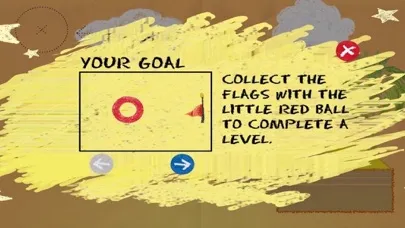
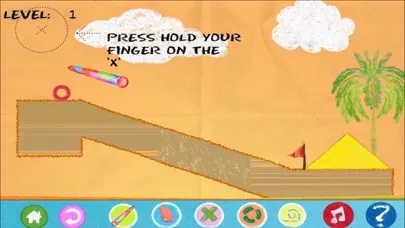
[Instructions]: Collect the flags with the little red ball to complete a level. Move the red ball by drawing objects and pushing it around. Press and move on screen to draw. You cannot draw inside other objects. To draw a circle, press and stay where you want the center to be,wait the circle grows. Pins and hinges connect objects. A pin fixes the two objects, and a hinge allows rotation. You can
App Store の説明を全文読む
[Instructions]: Collect the flags with the little red ball to complete a level. Move the red ball by drawing objects and pushing it around. Press and move on screen to draw. You cannot draw inside other objects. To draw a circle, press and stay where you want the center to be,wait the circle grows. Pins and hinges connect objects. A pin fixes the two objects, and a hinge allows rotation. You can put them on the ball too. Press the "pin" button to switch to pin mode, the place the pin where you want. Then draw a figure on top. Press the "hinge" button to switch to hinge mode and place the hinge. Then draw a figure on top. Press the "erase"button then press inside a shape,pin or hinge to erase it. You switch to "normal" pen mode by pressing "normal"button. Hold Down the "Boost" and click for a small boost. ( New function in Magic PenII ). [Description]: The shapes that you draw are affected by gravity, friction and inertia. Use these properties in your advantage. The red ball (or red square in some levels), is the object that collects the flags. Draw the objects in such a way that they push the ball in the desired direction.

編集部 PICK UP
Nib
聞き取れるメモ帳。録音すると AI が議事録・要約・次の一手に整えてくれる。
情報
- バージョン
- 1.5.5
- 最終更新
- 2019/03/06
- リリース
- 2012/05/24
- サイズ
- 99.8 MB
- 必要環境
- iOS 8.0 以降
- 対応端末
- iPhone、iPad
- 対象年齢
- 4+
- 販売元
- Beijing Tiantian Innovation Technology Co ,Ltd
- 対応言語
- 日本語、CS、DA、NL ほか21言語
最新バージョンの更新内容
Optimizations.