- 対応
- iOS
どんなアプリ?
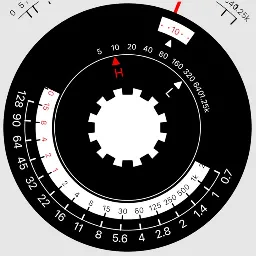
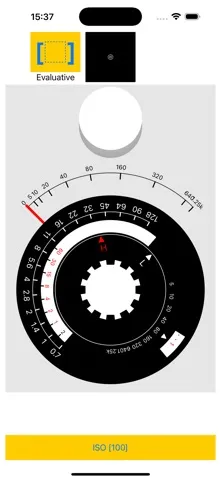
iPhoneやiPadなどのカメラを使って簡単に露出を計測できます。 計測値はアナログで表示されるので、楽しく使えます。 使い方は簡単で、ISO値を選択し、計測したい方向にカメラを向けて画面をタップすると、メーターにFC値が表示され、同時にEVが計算されます。 「シャッタースピード」と「F値」の組み合わせが回転表示されます。 画面には入射光が表示されていますが、実際には反射光を計測しています。
App Store の説明を全文読む
クラシックなアナログ露出計をイメージした、iPhone用の露出確認アプリです。 画面下部のボタンからISO感度を設定し、画面左上のボタンから測光方式を選択します。 画面上部中央のモニターで測光範囲を確認し、露出計部分をタップすると測光します。 測光結果に合わせてアナログダイヤルが回転し、シャッタースピードと絞り値の組み合わせを確認できます。 【主な機能】 ・ISO感度の設定 ・評価測光、部分測光、スポット測光の切り替え ・測光範囲のモニター表示 ・アナログダイヤルによる露出表示 ・日本語と英語の使い方説明 画面右上の「?」ボタンから、いつでも使い方を確認できます。 ※本アプリは入射光式のアナログ露出計をイメージしたデザインですが、測光にはiPhoneのカメラを使用しています。

編集部 PICK UP
Nib
聞き取れるメモ帳。録音すると AI が議事録・要約・次の一手に整えてくれる。
情報
- バージョン
- 1.1.4
- 最終更新
- 2026/08/16
- リリース
- 2025/04/07
- サイズ
- 4.0 MB
- 必要環境
- iOS 17.2 以降
- 対応端末
- iPhone
- 対象年齢
- 4+
- 対応言語
- 日本語、英語
最新バージョンの更新内容
App Storeでの表示内容を見直し、アプリの特徴や使い方がより分かりやすく伝わるよう改善しました。アプリ本体の機能に変更はありません。