

Jump Desktop (RDP, VNC, Fluid)
Phase Five Systems
App Store 評価: ★ 3.9 (155件)
- 対応
- iOS
どんなアプリ?
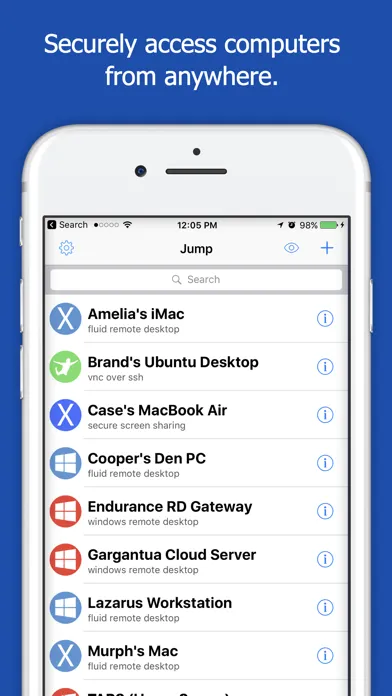
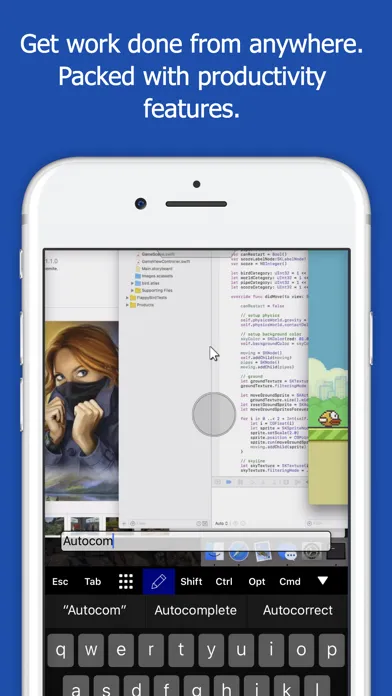
Leave your laptop behind. Enjoy the freedom to work from anywhere. Jump Desktop is a powerful remote desktop application that lets you control your computer from your iPad, iPhone or iPod Touch. Compatible with RDP and VNC, Jump Desktop is secure, reliable and very easy to set up.
App Store の説明を全文読む
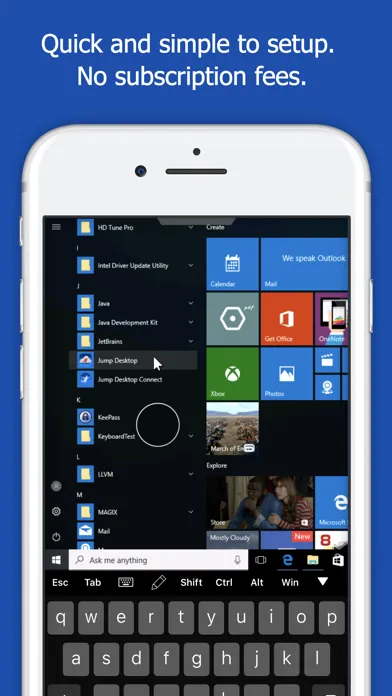
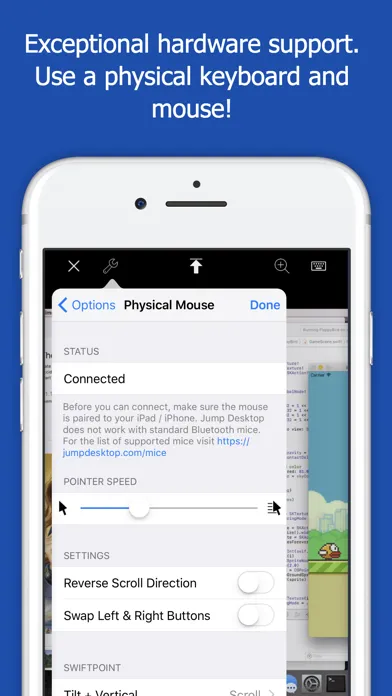
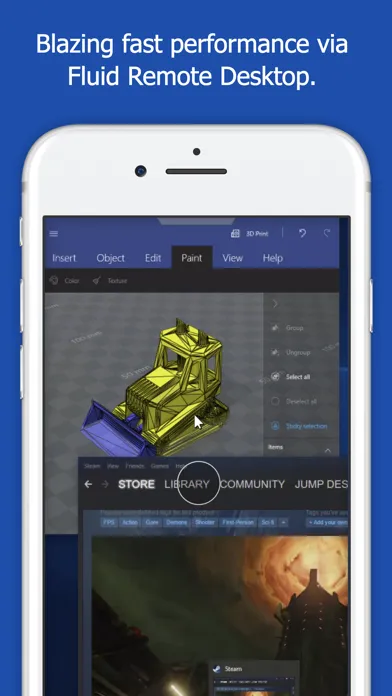
Leave your laptop behind. Enjoy the freedom to work from anywhere. Jump Desktop is a powerful remote desktop application that lets you control your computer from your iPad, iPhone or iPod Touch. Compatible with RDP and VNC, Jump Desktop is secure, reliable and very easy to set up. Easy setup and reliable: Jump Desktop is very easy to setup; anyone can do it! Just visit: https://jumpdesktop.com on your PC or Mac, click the ‘Automatic Setup’ link and follow step-by-step instructions. You’ll be up and running in no time. Secure and built on open standards: Jump Desktop is a RDP and VNC client. You don't need to download additional software if you already have RDP or VNC configured and know the address of your computer. Just enter your IP address or hostname to connect. Powerful features: * Works with almost any computer and operating system * Supports a physical mouse! Exclusive feature on the App Store! Important limitation: Jump Desktop does not work with standard Bluetooth mice and requires a specific Bluetooth mouse that pairs with iOS * New Fluid Remote Desktop protocol supports high performance remote desktop * Easy and secure setup: Automatically configure your PC or Mac for remote access using Wi-Fi/3G/LTE without worrying about your router settings. Setup as many computers as you like – there are no limits! * Built for iPad Pro, iPad, iPhone and iPod * iPad Pro features: Full support for split-screen multitasking and Apple Pencil * Protect your server settings using Touch ID * Connection syncing via iCloud connection syncing * Advanced Bluetooth keyboard: The best bluetooth keyboard support on the App Store. Shortcuts, function keys and arrow keys - everything works. Also includes macros for keys no available on bluetooth keyboards (i.e function keys) * SSH tunneling with password and public key authentication supported * Supports large custom screen resolutions and VGA/HDMI out * Full mouse support via touch gestures: left, right and middle button clicks, dragging, scrolling, precision pointer movement * Multiple gesture support - includes the ability to draw or write using your finger * Copy/paste: Transfer text to or from your computer using the pasteboard * HDMI/VGA support: view your desktop on the big screen using a cable or AirPlay. Jump's video out mode will let you utilize the full resolution of your external display. * Multi-core rendering engine makes Jump Desktop one of the fastest RDP and VNC engines on the planet * Full support for Linea and Infinea barcode and MSR scanners. Includes support for E2E encryption. IMPORTANT NOTICE: Audio streaming and remote printing are NOT supported when connecting to Mac OS X and PCs running Windows ‘Home’ edition. RDP features: * Supports RD Gateway * Supports custom resolutions. Set any resolution you want including Retina resolutions. * Dynamic RDP resolution updates on Windows 8.1+ * Remote printing: Send print outs from your computer to your iPad/iPhone device (exclusive RDP print redirection feature on the App Store!) * Drive redirection * Audio streaming * Console sessions * International keyboard layouts * Multiple monitor support on Windows 7+ * Multi-touch redirection support on Windows 8+ VNC features: * Tested with Mac OS X, TightVNC, RealVNC, UltraVNC, Linux (Ubuntu Remote Desktop) * Secure: Supports SSH tunneling as well as SSL encryption * Black & white, gray scale, 8, 16 and 24-bit color to help optimize bandwidth * Multiple monitor support * Macs: Support locking the Mac's screen and syncing the pasteboard

編集部 PICK UP
Nib
聞き取れるメモ帳。録音すると AI が議事録・要約・次の一手に整えてくれる。
人気の推移
App Store(日本)の公式ランキングと評価数を APPBASE が毎日記録しています。
- ビジネス・有料 最高1位 (7/30)
- ビジネス・セールス 最高46位 (8/15)
| 日付 | ビジネス・有料 | ビジネス・セールス |
|---|---|---|
| 8/28 | 2位 | 63位 |
| 8/27 | 3位 | 82位 |
| 8/26 | 1位 | 57位 |
| 8/25 | 1位 | 68位 |
| 8/24 | 1位 | 79位 |
| 8/23 | 1位 | 52位 |
| 8/22 | 2位 | 87位 |
| 8/21 | 1位 | 55位 |
| 8/20 | 2位 | 64位 |
| 8/19 | 7位 | — |
| 8/18 | 1位 | 82位 |
| 8/17 | 2位 | 79位 |
| 8/16 | 1位 | 72位 |
| 8/15 | 1位 | 46位 |
評価数の推移
現在 155 件 (8/1から +7 件)
数値で見る
| 日付 | 評価数 |
|---|---|
| 2026/10/30 | 155件 |
| 2026/8/1 | 148件 |
App Store のレビュー
App Store に投稿された実際のユーザーレビューです(公式フィードから自動取得・最新順)。
-
★★★★★ 機能はいいが
アイコンがくそダサいです
りんごとはちみつ ・ 2026年4月27日 ・ v9.8.0
-
★★★★★ 登録して3時間くらいで繋がらなくなった
iPad Air 5 からMacBook Air M4 に接続できるようセッティングを行いました。しかし、先ほどからずっと connecting… と表示されています。これはバグなのでしょうか。それとも何かの設定が間違っていたのでしょうか。最初は繋がっており、それから何も設定を変更していないため、設定が間違っていることはなさそうです。バグであれば早急に修正をお願いします。評価3は、接続の安定性で上にも下にも行きうるということです。
Figggdfhh ・ 2026年4月9日 ・ v9.8.0
-
★★★★★ iPhoneから日本語入力がままならない
以前(1、2年ほど前)はiPhoneからMacOSやWindowsに対しても日本語入力に対応しており、iPhone上で入力した文字が(フリックでもqwertyでも)正しくPC側へ入力されていました。 最近使用すると入力した文字が途切れたり、全く入力されなかったりする現象が発生しており不便になりました。 以前から他のリモートツールでこの点が使いづらく、jumpに乗り換えた経緯もあり、ぜひ改善していただきたい。
じゃにゅう ・ 2026年3月25日 ・ v9.8.0
-
★★★★★ 日本語入力の改善希望
一番快適に作業が行えるアプリです。 しかしながらiPhoneで作業をする際、日本語ソフトキーボードが正しく入力できず不便を感じています。可能でしたらバグ修正していただけると嬉しいです
bologram ・ 2026年3月8日 ・ v9.8.0
-
★★★★★ 左クリック
とても便利に使わせていただいていますが、iPhoneにマウスを接続して使用すると左クリックが効かなくなるので、そこだけ改善していただきたいです。
ごどっくす ・ 2026年1月5日 ・ v9.8.0
-
★★★★★ 1日目しか表示が出来ない
2日目以降画面表示出来なくなった。 再設定するが変わらず。 1日しか使えてないが、毎回windws 認証情報のパスワード入れてからAskボタン ホストPC側で認証OKボタンを押さないと入れないのだろうか? 初日も何度も試したが、同期がAskを押さないと進めずgoogleのリモートで先にリモート画面を出しておいて、ホスト側のリモートの許可をクリックしないと表示出来ない状態だった。 出先でリモートしたいのにあまりに不便に感じる。...
yasu_210 ・ 2025年1月29日 ・ v9.8.0
レビューの続きは App Store で読めます。
情報
- バージョン
- 10.15.46
- 最終更新
- 2026/10/20
- リリース
- 2010/04/01
- サイズ
- 54.3 MB
- 必要環境
- iOS 16.0 以降
- 対応端末
- iPhone、iPad
- 対象年齢
- 4+
- 販売元
- PhaseFive Systems
- 対応言語
- 日本語、英語、フランス語、ドイツ語 ほか5言語
最新バージョンの更新内容
Jump Desktop 10 は、iPhone および iPad 向け Jump Desktop にとってここ数年で最大のアップデートです。 仮想ディスプレイが IPHONE と IPAD で初登場 • 単一の仮想ディスプレイは、お使いのデバイスに合わせたデスクトップをホストに用意します — 画面とまったく同じ解像度、Retina の鮮明さそのまま、回転に追従し、画面のリフレッシュレートで動作します。他人のモニタ向けに作られたデスクトップの上で ピンチやズームを繰り返す必要はもうありません。 • 初回接続時、または「ディスプレイ」メニューからいつでもオンにできます。 よりシャープで、よりなめらかなセッション • ハードウェアデコードにより、動きがなめらかになり、バッテリーも長持ちします。「コーデック」>「Hardware」を選択してください。 • 新しい「コーデック」メニューから Fluid 2.0、Fluid、Hardware を選択できます。 • 「色品質」のレベルを選択できます:パフォーマンス重視なら Good、くっきりしたテキストなら High、10 ビットカラーなら Pro と Ultra。 • ProMotion 搭載の iPhone および iPad モデルでは、セッションが最大 120 フレーム/秒で動作します。 さらに広がる作業スタイル • iPad では、好きなだけ多くのコンピュータでそれぞれ専用のウインドウを開いて同時に作業できます。コンピュータを長押しして、「Connect in new window」をタップしてください。 • ゲームコントローラをペアリングするとホストからは Xbox コントローラとして認識されます。また、縦向きと横向きのレイアウトを移動できる画面上のコントローラも使用できます。 • 「外部ディスプレイを使用」では、iPhone または iPad からセッションを操作しながら、ホストの画面をモニタ、テレビ、プロジェクタに表示できます。 • バックグラウンドでセッションを接続したままにする時間を、数分から No Limit まで選択できます。 • 「設定」をタップしてから「接続統計を表示」をタップすると、接続の状態を確認できます。 改善点と修正点 • Fluid セッションで、複数のキーボード言語をオンにしている場合、ハードウェアキーボードで Control+スペースを押すと、他の App と同様に iPhone または iPad のキーボード言語が切り替わるようになりました。 • ホストに接続する際に Wake-on-LAN が送信するウェイクパケットの数を減らしました。 • スリープまたはシステム終了したホストが自動再接続によって起動してしまう問題を修正しました。 • トラックパッドやマウスでのスクロールの方向が逆になる問題を修正しました。スクロールはデバイスの「ナチュラルなスクロール」設定に従うようになりました。これを補うために「スクロールの方向を反転」をオンにしていた場合は、オフにしてください。 • ハードウェアキーボードの Caps Lock でキーボード言語が切り替わらない問題と、ホストの Caps Lock の状態がお使いのデバイスとずれる問題を修正しました。 • デッドキーで入力したアクセント付き文字が、ã ではなく a~ のように別々の文字として入力される問題を修正しました。 • 保存済みのコンピュータに名前がない場合に、Jump Desktop が起動するたびにクラッシュする問題を修正しました。 • セッション終了時のクラッシュを修正しました。 • セキュリティアップデート。 バージョン 10.15.42 の修正点 • Windows 7、Windows Server 2008 R2、Windows Server 2012 など、以前のバージョンの Windows への RDP 接続に失敗する問題を修正しました。 • 仮想ディスプレイがディスプレイ 1 とディスプレイ 2 ではなく、ディスプレイ 3 とディスプレイ 4 として番号付けされる問題を修正しました。 詳細:https://docs.jumpdesktop.com/whats-new