
iSmart DV
iCatch Technology Inc.,
App Store 評価: ★ 4.2 (2,972件)
- 対応
- iOS

どんなアプリ?
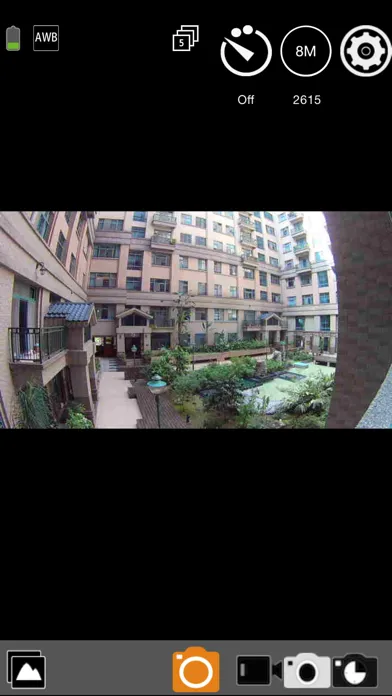
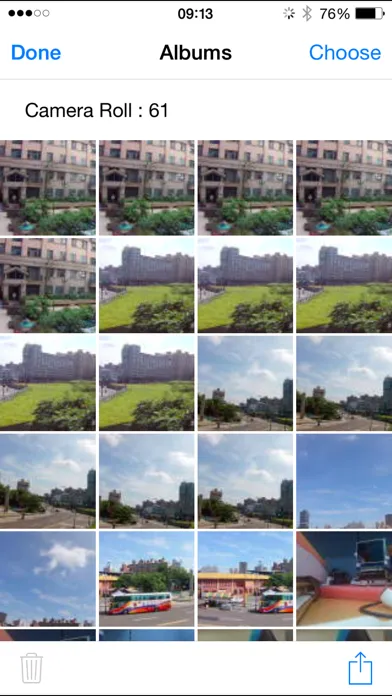
With iSmartDV, you could control the iCatch Technology's based DSP camera by using your iPhone or iPad. Like remote viewfinder/preview, view photo album. Any APP question you can contact us via https://www.facebook.com/ismartdvuser
App Store の説明を全文読む
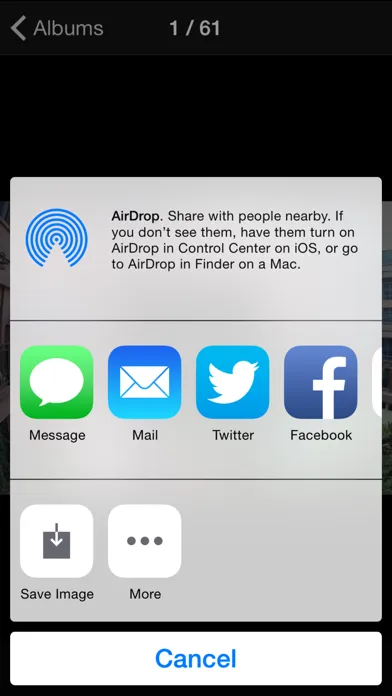
With iSmartDV, you could control the iCatch Technology's based DSP camera by using your iPhone or iPad. Like remote viewfinder/preview, view photo album. Any APP question you can contact us via https://www.facebook.com/ismartdvuser Connection Steps. 1. Turn on the Camera Wi-Fi, it will act as a Wi-Fi AP. 2. in iPhone/iPad, Setting->Wi-Fi turn it on and find out camera SSID then connect. the SSID & password should be on your manual or contact servce. 3. Open the APP Now you can streaming the preview, take a picture or video. Q&A Q: Why cannot create a new camera? A: First make sure you have follow connection step and established the connection, second, try to pding 192.168.1.1 by other Apps, like Ping Lite, make sure the wireless signal was strong enough for work. Q: Why cannot download the video? A: Before download, you should make sure the video format is compatible with iPhone/iPad, and allow iSmart DV to access Photo Library. Features: 1. Preview stream, Live streaming from camera. 2. Trigger action, In the preview stream, you can trigger camera to take a video or picture. 3. Support burst shot 4. Support delay capture. 5. Support video quality change. 6. Support image size change. 7. Support white-balance change 8. Format the camera SD card. *9. Listing photo & video files and download or delete files. 10. Single photo playback. 11. Automatic time correction with iPhone or iPad when established the connection. 12. Preview streaming is more smoothing. *13. Support video playback with audio before download. 14. Support upside down. 15. Support slow motion. 16. Support social network sharing (by cell network) 17. Support change camera SSID & password ( remember turn off/on camera wifi) 18. Support Date-Time Stamp setting in video mode *1. Make sure the camera file format is compatible with iOS, the AVI not support. *2. Make sure the camera is designed by iCatch SPCA6330 or SPCA6350 chip. *3. Play video without download feature is base on camera. We are looking for your feedback, if you have any problem please leave camera name, app version and error message on our website. http://www.icatchtek.com/fae.asp We will improved it and enhance new function in the future. Enjoy. 2016.8.24 updated. Some people feedback us they cannot download the big video files (more than 2GB), thanks for your feedback, we are check much more camera and found the problem is camera suddenly disconnect the Wi-Fi connection during download, we cannot fix the camera crash issue, sorry. Information: Feedback your experience to us continually, we will improve it in the feature. if you have any question, visit iCatch web site and leave information about your question and your camera info., we will contact you back by email. Again, some features are based on camera, such like, video playback, zoom in/out, time-lapse mode, when your camera is support these feature, iSmart DV will show more buttons and actions automatically on your iPhone/iPad.

編集部 PICK UP
Nib
聞き取れるメモ帳。録音すると AI が議事録・要約・次の一手に整えてくれる。
App Store のレビュー
App Store に投稿された実際のユーザーレビューです(公式フィードから自動取得・最新順)。
-
★★★★★ iPadに非対応?
iPadで撮影しようとしたら、SDカードが無いと表示されたので、SDを繋いだら反応しなくて撮影不能だった。 iOSは、iPhoneのみ対応か? それともiPadに繋げるこのカメラ対応のSDカードインターフェイスがあるのか?
PhotoMemo7 ・ 2026年4月7日 ・ v1.4.53
-
★★★★★ EK7000 PRO (使用GoPro)
◯◯◯◯◯ GOは動画ダウンロードにメッチャ時間掛かる上に「失敗しました」の連続で保存すら出来なかったのにコッチはスラスラ保存出来ました。あくまで私の環境にもよると思いますが私は気に入ってます。
鈴木さん44 ・ 2024年10月14日 ・ v1.4.53
-
★★★★★ 操作簡単で、軽い画質が良いです。
操作が簡単軽く楽しいです。
112233 ・ 2023年10月5日 ・ v1.4.53
-
★★★★★ B
Easy connection, great app
Bengdong ・ 2023年8月6日 ・ v1.4.53
-
★★★★★ 画質良い
画質が良く、使い易い 取り扱い説明書がイマイチ分かりづらい
スリッパー ・ 2023年4月21日 ・ v1.4.53
-
★★★★★ 気に入った!
期待以上の 画質、操作性、耐久性 コストパフォーマンス最高! 買って良かったです。 名古屋の68才、オッサンです。
ken19551005 ・ 2023年1月21日 ・ v1.4.53
レビューの続きは App Store で読めます。
情報
- バージョン
- 1.4.53
- 最終更新
- 2022/03/07
- リリース
- 2013/06/06
- サイズ
- 104.8 MB
- 必要環境
- iOS 9.0 以降
- 対応端末
- iPhone、iPad
- 対象年齢
- 4+
- 対応言語
- 日本語、英語、フランス語、ドイツ語 ほか8言語
最新バージョンの更新内容
1. Check the network permissions of the app.