
Highlights PDF 編 集 アプリ、ノート、変 換
Jonas Myren Ribe
App Store 評価: ★ 4.3 (57件)
- 対応
- iOS
どんなアプリ?
"... an app that students, academics, and anyone who does substantial amounts of PDF-based research should try" - Macstories.net "It’s the novel approach to PDF annotation that makes this app a cut above the rest"- TapSmart.com *** "App of the Day" - App Store, US ***
App Store の説明を全文読む
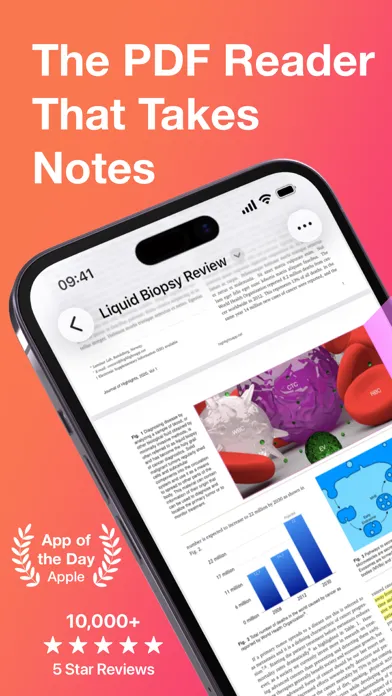
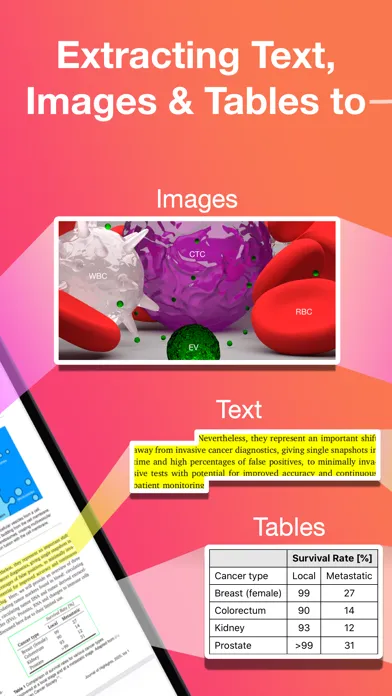
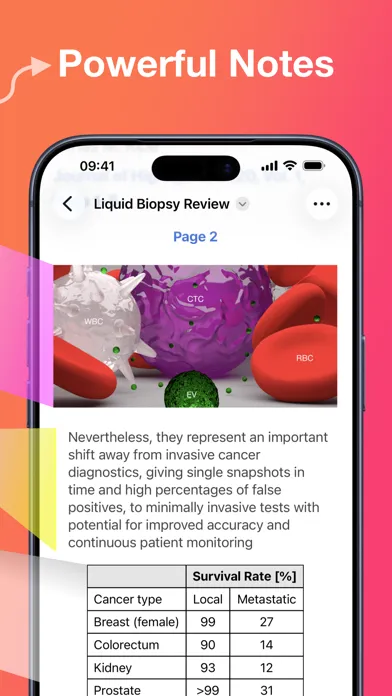
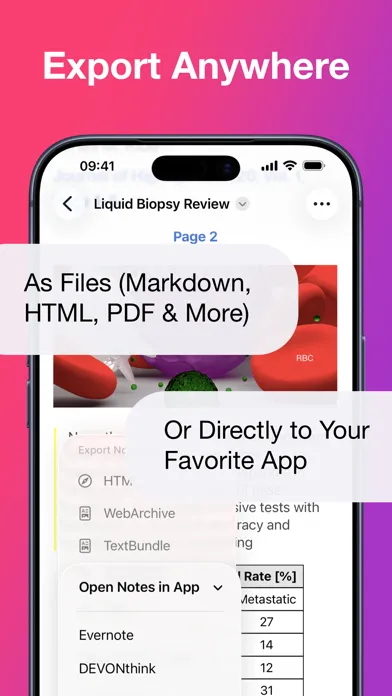
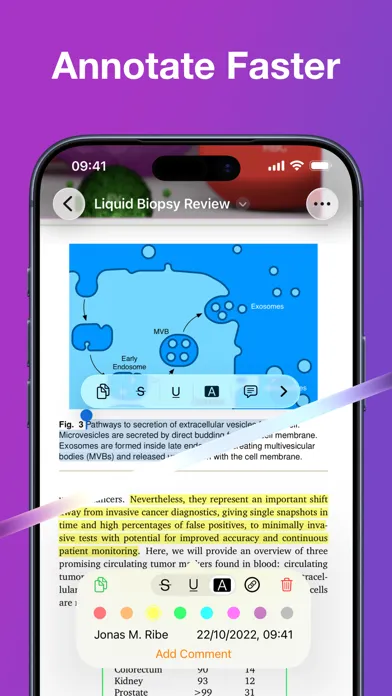
"... an app that students, academics, and anyone who does substantial amounts of PDF-based research should try" - Macstories.net "It’s the novel approach to PDF annotation that makes this app a cut above the rest"- TapSmart.com *** "App of the Day" - App Store, US *** USE HIGHLIGHTS FOR FREE Highlights is a fast and lightweight PDF reader (under 10MB) packed with features to help you do your best research. Free users have access to standard PDF reader features including document browsing, reading and annotating. There are NO ADS, time limits or tracking. READ PDF DOCUMENTS • Open PDF documents from anywhere • Browse files using the familiar document browser • Open PDFs in Single Page or Two Page scroll mode • Double tap to Smart Zoom in on a paragraph or figure • Scrub smoothly to the desired page • Search the entire document in an instant • Navigate using any connected keyboard or mouse STORE YOUR FILES WHERE YOU WANT • Full support for "Open In Place" lets you make edits to the file where it is • Access your files from iCloud Drive, Dropbox, Google Drive, OneDrive or Box using the document browser • Or keep them privately on device only HIGHLIGHT AND ANNOTATE FASTER • Select text with your finger, Apple Pencil or mouse pointer • Highlight, underline, strikethrough text and make image selections • Add comments to annotations or as individual sticky notes • Annotate with fewer taps using context aware popovers • Default annotation colors prevents you from having to repeatedly setting the color for the same type of annotation every time TURN ANNOTATIONS INTO NOTES • As you markup text and images the contents are extracted and sorted into notes • Customize the formatting and contents of your notes • Sort the annotations chronologically or create your own color coding EXTRACT TABLE DATA AND RECOGNIZE TEXT • Convert images containing text or tables to actual text and tables using machine learning - letting you get to the underlying data with a single tap SMART COPY Copy annotations to the desired format with one tap: • Text markup as text • Image selections as images • Tables as CSV • Citations as BibTex LOOKUP CITATIONS • Highlights will fetch DOI-links and metadata • Markup any reference and tap the link icon to look it up • If you have read the work already or have it in your reference manager library, Highlights will link you to it EXPORT ANYWHERE • Save or share your notes as portable files: Markdown, TextBundle, HTML, WebArchive or PDF • Share them to your favorite notes app: Apple Notes, Bear, Craft, Evernote, DEVONThink, Keep It, MindNode, Notion, Obsidian, Roam Research or Ulysses • Or send them to a colleague via mail. It's your notes, you decide where they go MUCH MORE • Dark mode • Multi-window support on iPadOS • Keyboard shortcuts and navigation • Support for system Copy and Undo gestures • Alternative app icons • Custom accent colors • Apple Pencil double-tap gestures • Power annotation tools For a full list of features see: highlightsapp.net/features HIGHLIGHTS PRO The Highlights Pro subscription unlocks advanced features on your iPhone, iPad and Mac: • Export options for other apps and easily editable formats • Extract information using table and text recognition • Customize accent colors and alternative app icons • Power annotation tools • Citation lookups • Smart Copy Highlights Pro includes a 14-day free trial. You can cancel your subscription at any time. The subscription will automatically renew unless auto-renew is turned off within 24-hour prior to the end of of the current period. Payments will be charged to your iTunes account and your account will be charged within 24-hours prior to the end of the current period. Any unused portion of a free trial period will be forfeited when you purchase a subscription. For more information about Highlights Pro: highlightsapp.net/pro Privacy Policy: highlightsapp.net/privacy Terms of Use: highlightsapp.net/terms
編集部 PICK UP
Nib
聞き取れるメモ帳。録音すると AI が議事録・要約・次の一手に整えてくれる。
App Store のレビュー
App Store に投稿された実際のユーザーレビューです(公式フィードから自動取得・最新順)。
-
★★★★★ 日本語対応されてない
日本語対応されてないので私にはこのアプリは使いこなせません。以上。
やね「もゆやるさ ・ 2026年10月11日 ・ v2026.3
-
★★★★★ On the Cusp of 5-Star Experience…
I’ve been using this app on and off for the past ~4 years or so. Biggest issue is crashing with PDFs that are even moderately bulky. Another major issue is the lack of basic PDF reading features common to other readers, particularly Night Mode. I want to use this as my go-to default research reader, but between the crashing, lack of night mode, and lack of adequate support for Japanese language PD...
bjjansen ・ 2025年11月12日 ・ v2025.1.5
-
★★★★★ Useful for highlighted PDF text, true to the name
This app fills a useful niche, making it easy to display and export highlted text in PDFs. I like how you can sort the PDF highlights by color, and add lines between the notes to make them easier to read. Also, text rendering is also very good, and the app loads and runs quickly. Sadly, the export functionality that most people likely want and need from this app is only available (as of Apr 3 202...
japchap ・ 2023年4月19日 ・ v2022.1
-
★★★★★ Beaに画像付きで送れない
残念です
アラマニーサ ・ 2021年4月27日 ・ v2021.1.1
-
★★★★★ An outstanding app, with minor room for future potential improvement
This app has done an excellent job in significantly enhancing work efficiency and productivity. I was wondering, however, if future updates could allow users to use wider range of colours with varying brightness for annotations. The current default colours (esp when used to highlight) are too dark to read the original paper.
MasaruYamamoto ・ 2020年4月23日 ・ v2020.1.6
-
★★★★★ MarkdownXLのStrikeout ("||")に対応してほしいです。
とても便利に使わせて頂いています。 論文などを読むときは、iPad の手書きノートアプリで読むより、Markdown でノートを取ったほうが管理しやすくて好きなので、いつも Mac & Ulysses を使っています。 今までは、わざわざコピー&ペーストやクリーンショットをしてUlysses にまとめていましたが、このアプリのおかげで非常に捗るようになりました。 欲を言えば2点改善してほしいです。 1. MarkdownXL のStrikeoutへの...
Haruki752 ・ 2020年4月18日 ・ v2020.1.2
レビューの続きは App Store で読めます。
情報
- バージョン
- 2026.2.1
- 最終更新
- 2026/09/14
- リリース
- 2020/04/10
- サイズ
- 37.1 MB
- 必要環境
- iOS 15.0 以降
- 対応端末
- iPhone、iPad
- 対象年齢
- 4+
- 対応言語
- 英語
最新バージョンの更新内容
The iOS and iPadOS 27 release with support for Siri AI. You can ask it to do simple actions: - "Scan using Highlights" - "Open Highlights" Or perform fuzzy searches: - "Find the PDF where they discuss 3D paper based microfluidics" - "Search for PDF articles from the journal PNAS" Or make requests based on the document you have open: - "Mail this to ..." - "Does this article have any supplementary information?" - "Do the authors have a website?" - "Have they published anything together recently?" You can both talk and type to Siri AI. You do not need to choose your words as carefully as previously and it is much better at understanding context. Siri AI requires iOS and iPadOS 27 and a compatible device. This release also brings: - A refined Liquid Glass design with updated app icons - Annotations with comments now render with a text bubble icon next to them in the PDF to let you know which have comments at a glance - New languages for OCR and text recognition in image selections: Finnish, Hindi and Marathi