- 対応
- iOS
どんなアプリ?
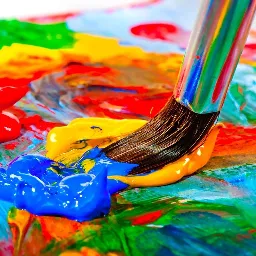
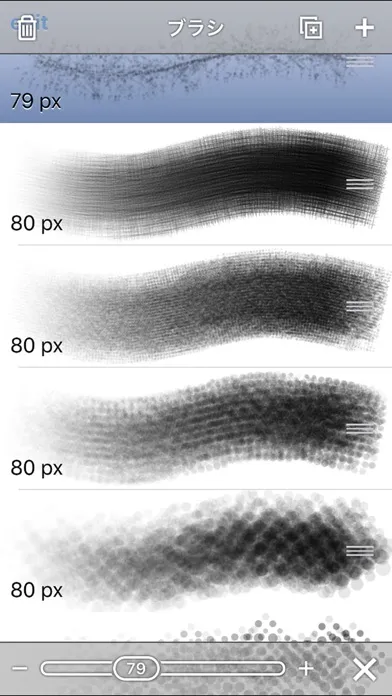
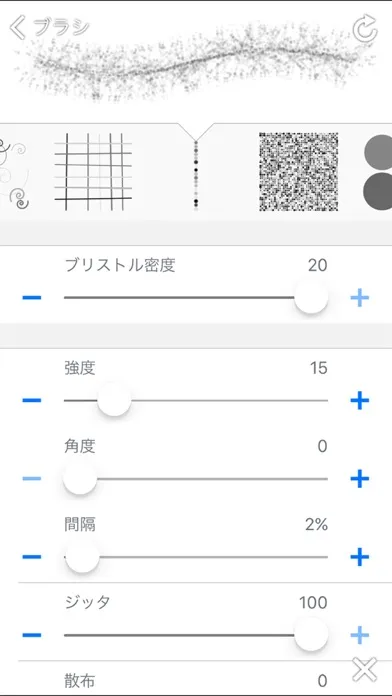
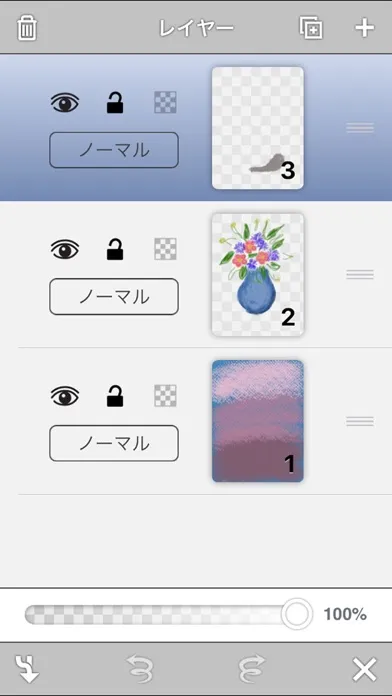
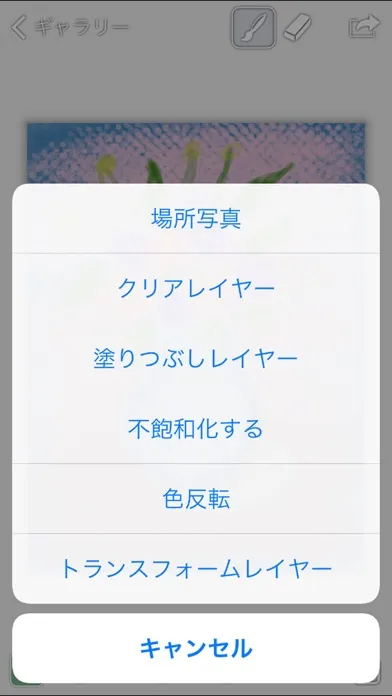
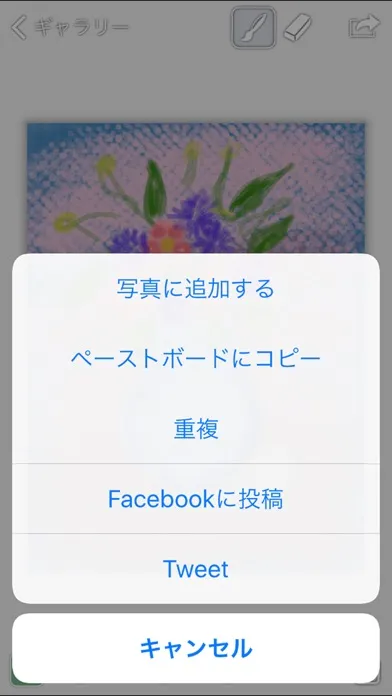
サポートされているiPhoneとiPad。あなたのデバイス(PCを含む)間で絵を移動し、どこにいても作業を続けます。 特徴: - あなたの絵のすべてのステップを記録する - 無制限の取り消しとやり直し - OpenGLベースのアクセラレータ - 2048x2048までの寸法 - すべての網膜デバイスを完全にサポート - バックグラウンド自動保存 - シンプルで親しみやすいインターフェース - 速度の定義との容量画面用のBluetoothアクティブなスタイラスをサポート
App Store の説明を全文読む
サポートされているiPhoneとiPad。あなたのデバイス(PCを含む)間で絵を移動し、どこにいても作業を続けます。 特徴: - あなたの絵のすべてのステップを記録する - 無制限の取り消しとやり直し - OpenGLベースのアクセラレータ - 2048x2048までの寸法 - すべての網膜デバイスを完全にサポート - バックグラウンド自動保存 - シンプルで親しみやすいインターフェース - 速度の定義との容量画面用のBluetoothアクティブなスタイラスをサポート 輸出入: - Dropboxと統合 - ネイティブのペイントファイル、JPEG、およびPNGファイルをインポートする - ネイティブペイントファイル、JPEG、PNG、およびPhotoshopファイルとしてエクスポート(レイヤー付き) - 写真アルバムの画像を絵画に配置する - ペーストボードに絵をコピーする - Tweet絵 - Facebookへの絵画の投稿 高度なジェスチャー: - 2本指のピンチでズーム - 2本指ダブルタップで拡大 - 2本の指でダブルタップするようにズーム - 単一のタップでインターフェイスの表示を切り替えます(これはアプリの設定で2本のタップに変更できます) - スポイトツールにアクセスするにはタップアンドホールド ペインティング: - 全画面ペイント - 絵画の記録と再生 - Ultrafast OpenGLベースのペイントエンジン - 512x512ピクセルまでの巨大なブラシサイズ - シミュレートされた圧力 - 最新のハードウェアで64ビットのペイント - 14個のパラメータ付きブラシシェイプ - 調整可能なブラシ設定(間隔、ジッタ、ばらつきなど) - 調整可能な色の不透明度 - 色を反転させて不飽和化する - レイヤをフリップして任意に変換する - 調整可能なカラーバランス(iPadのみ) - 調整可能な色相、彩度、明るさ(iPadのみ) レイヤー: - 最大10層作成 - レイヤのロックと非表示 - レイヤーの透過性をロックする - レイヤの不透明度を調整する - レイヤの複製、再配置、およびマージ - 混合モードを変更する:通常、乗算、画面、除外 Supported iPhone and iPad. Move paintings between your devices (including PC) and keep working wherever you go. Features: - Recording every step of your painting – Unlimited undo and redo - OpenGL-based accelerator – Dimensions up to 2048x2048 – Full support for all Retina devices – Background autosave – Simple and approachable interface - Supports Bluetooth active stylus for capacitive screen with the definition of Velocity Import and Export: – Integrated with Dropbox – Import native Paint files, JPEG, and PNG files – Export as native Paint files, JPEG, PNG, and Photoshop files (with layers) – Place images from your photo album into paintings – Copy paintings to the pasteboard – Tweet paintings – Post paintings to Facebook Advanced Gestures: – Zoom with two finger pinch – Zoom in with two finger double tap – Zoom to fit with two finger double tap – Toggle interface visibility with a single tap (this can be changed to a two finger tap in the app settings) – Tap and hold to access eyedropper tool Painting: – Full screen painting – Record and replay paintings – Ultrafast OpenGL-based painting engine – Huge brush sizes up to 512x512 pixels – Simulated pressure – 64-bit painting on the latest hardware – 14 parameterized brush shapes – Adjustable brush settings (spacing, jitter, scatter, etc.) – Adjustable color opacity – Invert color and desaturate – Flip and arbitrarily transform layers – Adjustable color balance (iPad only) – Adjustable hue, saturation and brightness (iPad only) Layers: – Create up to 10 layers – Lock and hide layers – Lock layer transparency – Adjust layer opacity – Duplicate, rearrange, and merge layers – Change blending modes: normal, multiply, screen, exclude

編集部 PICK UP
Nib
聞き取れるメモ帳。録音すると AI が議事録・要約・次の一手に整えてくれる。
情報
- バージョン
- 20
- 最終更新
- 2020/06/05
- リリース
- 2014/01/18
- サイズ
- 56.0 MB
- 必要環境
- iOS 9.0 以降
- 対応端末
- iPhone、iPad
- 対象年齢
- 4+
- 対応言語
- 日本語、CA、CS、DA ほか22言語
最新バージョンの更新内容
ios13 support