GIF 作成 - 動画からGIFへ
Float Tech, LLC
App Store 評価: ★ 4.4 (131件)
- 対応
- iOS
どんなアプリ?
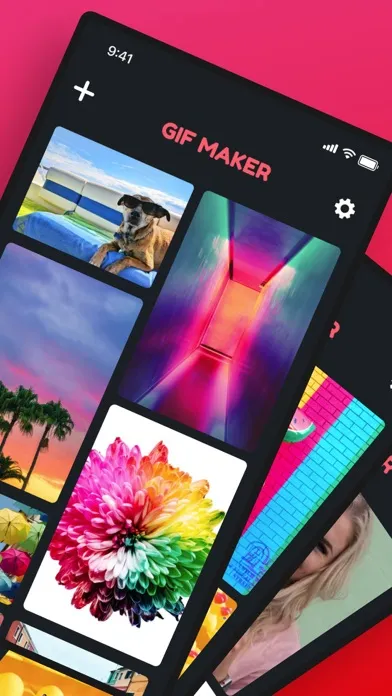
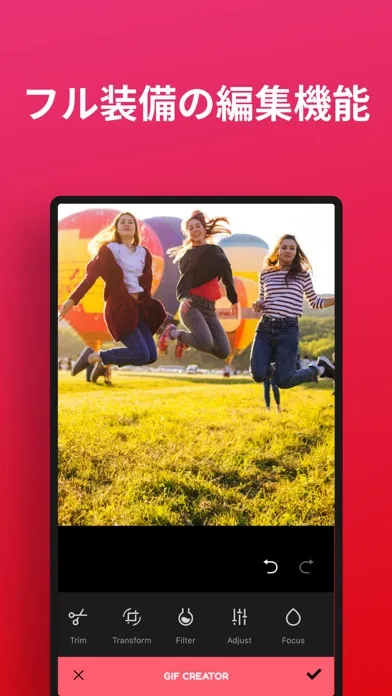
GIF 作成では動画やライブフォトから数秒でGIFを作成できます! 1. 動画やライブフォトをギャラリーから選択します 2. 「トリム」して,欲しいセグメントだけを切り出します 3. カスタムフィルターとエフェクトを追加! 4. 保存し,共有します! 他のアプリと異なり,GIF 作成に広告は表示されません。無料で無制限にGIFを作成できます! わずか数秒で独自のカスタムGIFを作成できます!複雑なオプションや設定は不要。操作はとても簡単です! ミームを作成してソーシャルメディアで共有したり,面白い「リアクションGIF」を作成してテキストメッセージで使ったり,可能性は無限大です!
App Store の説明を全文読む
GIF 作成では動画やライブフォトから数秒でGIFを作成できます! 1. 動画やライブフォトをギャラリーから選択します 2. 「トリム」して,欲しいセグメントだけを切り出します 3. カスタムフィルターとエフェクトを追加! 4. 保存し,共有します! 他のアプリと異なり,GIF 作成に広告は表示されません。無料で無制限にGIFを作成できます! わずか数秒で独自のカスタムGIFを作成できます!複雑なオプションや設定は不要。操作はとても簡単です! ミームを作成してソーシャルメディアで共有したり,面白い「リアクションGIF」を作成してテキストメッセージで使ったり,可能性は無限大です! This app includes an optional auto-renewable subscription (Premium Pass): Premium Pass beings with a free trial period, then an auto-renewable monthly subscription when trial ends. Payment will be charged to your iTunes account at confirmation of purchase and will automatically renew (at the duration/price selected) unless auto-renew is turned off at least 24 hrs before the end of the current period. Account will be charged for renewal within 24-hours prior to the end of the current period. Current subscription may not be cancelled during the active subscription period; however, you can manage your subscription and/or turn off auto-renewal by visiting your iTunes Account Settings after purchase. Any unused portion of the free one week initial period will be forfeited when you purchase a subscription. Privacy Policy: https://float.support/gif-maker/privacy Terms of Use: https://float.support/gif-maker/terms

編集部 PICK UP
Nib
聞き取れるメモ帳。録音すると AI が議事録・要約・次の一手に整えてくれる。
情報
- バージョン
- 26.1.0
- 最終更新
- 2026/04/05
- リリース
- 2018/08/25
- サイズ
- 31.3 MB
- 必要環境
- iOS 15.6 以降
- 対象年齢
- 4+
- 対応言語
- 日本語、DA、NL、英語 ほか19言語
最新バージョンの更新内容
一部のユーザーから報告された不具合を修正しました。