
- 対応
- iOS
どんなアプリ?
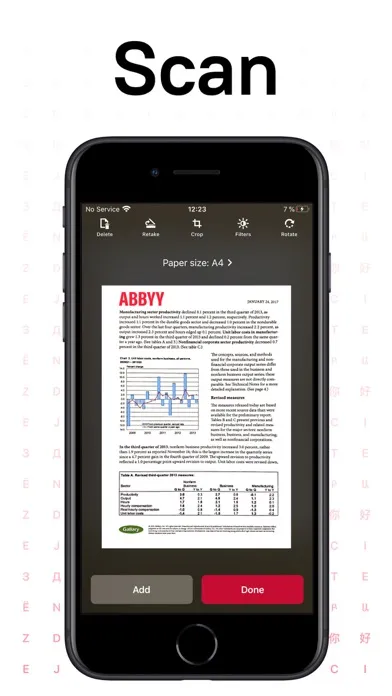
ABBYY FineReader PDF - the first smart AI-powered scanner that turns your mobile device into an all-purpose tool to quickly capture docs and books, create electronic copies in PDF and JPEG, and extract texts from scans for further editing and sharing. FineReader PDF - the top mobile scanner for iPhone or iPad from ABBYY, a Digital Intelligence company.
App Store の説明を全文読む
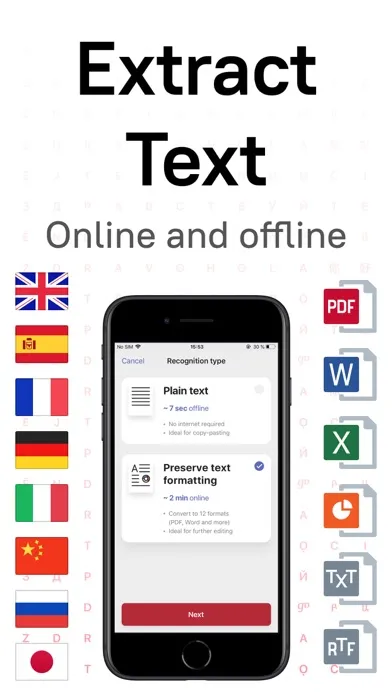
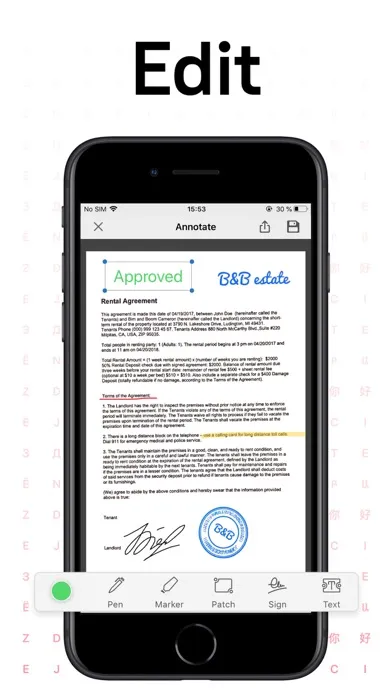
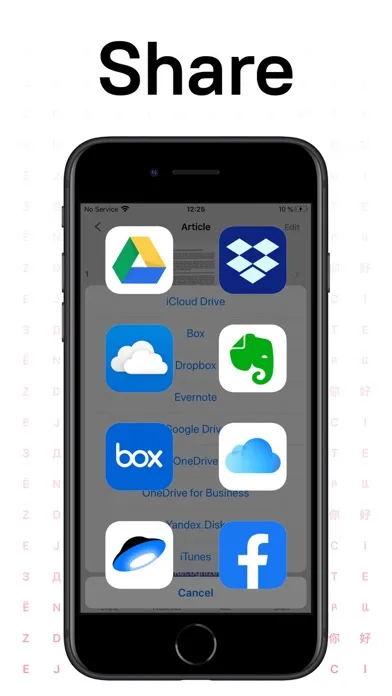
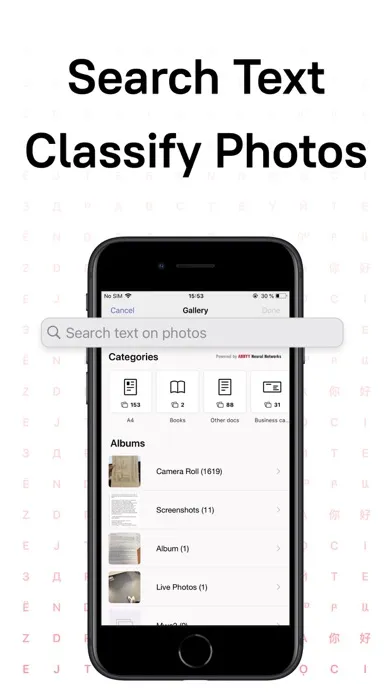
ABBYY FineReader PDF - the first smart AI-powered scanner that turns your mobile device into an all-purpose tool to quickly capture docs and books, create electronic copies in PDF and JPEG, and extract texts from scans for further editing and sharing. FineReader PDF - the top mobile scanner for iPhone or iPad from ABBYY, a Digital Intelligence company. *** Ranked #1 Business application in 98 countries *** *** Winner of SUPERSTAR Award in the "Document Capture" category in the Mobile Star Awards *** Use FineReader PDF to scan paper documents, books, agreements, receipts, magazine articles, notes, recipes, charts, tables, slides, whiteboards, or even billboards on the street and get perfect digital copies. KEY FEATURES • PDF & JPEG. Scan any text and save scans to JPEG images or cross-platform PDF documents. • OFFLINE OCR. Quickly extract text from scans into TXT format on your device without an internet connection. • ONLINE OCR. Recognize text (OCR) on scans in 183 languages (including Latin, Cyrillic, Chinese, Japanese, and Korean alphabets) and choose from among 4 output formats. • SHARE & EXPORT. Send results by email, to FineReader PDF for Windows, save in cloud storages - iCloud Drive, Dropbox, Google Drive, Yandex.Disk, Evernote, OneDrive for Business, and more. • LIVE TEXT. Make phone calls, send emails, follow the links, and more from scanned docs. • ABBYY NEURAL NETWORK. The smart gallery will automatically classify documents into 7 types: A4, books, business cards, handwritten, IDs, other docs, and receipts. • SEARCH TEXT ON PHOTOS. Type the text from a photo into a Search field in the gallery. FineReader PDF will find photos that have this text. • AR RULER. Define doc size in AR. It will be useful for non-standard documents and further printing them out in proper proportions. • SIRI SHORTCUTS. Open scans with Siri and set the flow of actions with scans using Shortcuts app. • ANNOTATE SCANS. Discover a set of easy-to-use tools to modify your PDFs: add your signature or a text box, use a highlighter, write with a pen, or conceal content with the redaction tool. • 3D TOUCH & SPOTLIGHT SEARCH SUPPORT. • PASSWORD ON PDF. Add a password for the image-only PDF files while exporting and sending via email. • MULTIPAGE DOCS. Create, edit, and enhance separate images or large multi-page documents without any additional selection on the viewfinder. • AUTO-CAPTURE AND FILTERS. Excellent visual quality with auto-capture of page boundaries and advanced image filters, which process scans in color, greyscale, or black-and-white versions. • BUILT-IN FILE STORAGE. Save scans inside the app with tags and search capabilities. • Transfer docs to your Mac or PC using Home Sharing. • AIRPRINT. Print out scans directly from your iPhone or iPad. Read us: abbyy.com/blog/mobile Facebook.com/ABBYYsoft Twitter @ABBYY_Software YouTube.com/ABBYYvideos Do you like FineReader PDF? Please leave a review!

編集部 PICK UP
Nib
聞き取れるメモ帳。録音すると AI が議事録・要約・次の一手に整えてくれる。
人気の推移
App Store(日本)の公式ランキングと評価数を APPBASE が毎日記録しています。
評価数の推移
現在 1,636 件 (9/5から +2 件)
数値で見る
| 日付 | 評価数 |
|---|---|
| 2026/11/2 | 1,636件 |
| 2026/9/5 | 1,634件 |
App Store のレビュー
App Store に投稿された実際のユーザーレビューです(公式フィードから自動取得・最新順)。
-
★★★★★ スキャン後アップロード出来ない
ARでスキャンして整えたPDFデータを ドライブにアップロードすることが出来なくなった。 2023.08月から送信しようとすると Invalid Value エラーになる。
ゴルゴンゾーラその2 ・ 2025年12月22日 ・ v16.0.2
-
★★★★★ 複数画像を一括テキスト可能
複数(私が試したのは28枚)画像を一括でテキストに変換できました。 うーん、素晴らしいです。 で、いつまで無料で使えるんですか? いや今見たら、1日1回だけ無料で使えるようですね。 でも私の場合1日1回しか使いませんので無料で十分です。ありがとうございます(^^)。 その後課金しました。 とても使いやすく気に入りました。
max6 Ultra ・ 2024年10月23日 ・ v15.6.6
-
★★★★★ 開けなくなった
アップデート後、即落ちして開けなくなりました。 データがどうなったか心配です。 早急になんとかして頂きたいです。
meguRR ・ 2024年1月8日 ・ v15.6.4
-
★★★★★ PDF/A
いつのまにかPDF/Aフォーマットでの保存ができなくなりました 急ぎ回復願います
Naoki0811 ・ 2023年10月4日 ・ v15.6.2
-
★★★★★ Too much to improve
I felt that there is too much of room for improvement.
RasingSun ・ 2022年5月19日 ・ v15.3.1
-
★★★★★ 機能に問題なし
解像度も悪くないが無料での枚数制限等に。
qr cvs ・ 2021年7月16日 ・ v15.1.1
レビューの続きは App Store で読めます。
情報
- バージョン
- 16.0.3
- 最終更新
- 2026/09/01
- リリース
- 2012/07/24
- サイズ
- 129.5 MB
- 必要環境
- iOS 15.0 以降
- 対応端末
- iPhone、iPad
- 対象年齢
- 4+
- 対応言語
- 日本語、英語、フランス語、ドイツ語 ほか7言語
最新バージョンの更新内容
Updated online processing to latest backend system