- 対応
- iOS
どんなアプリ?
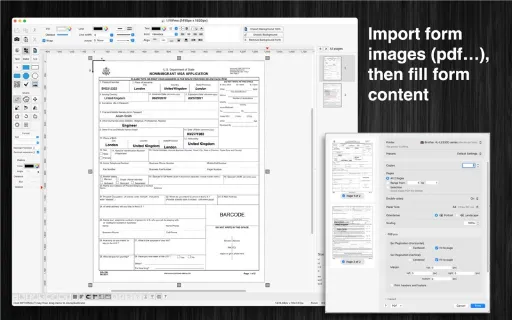
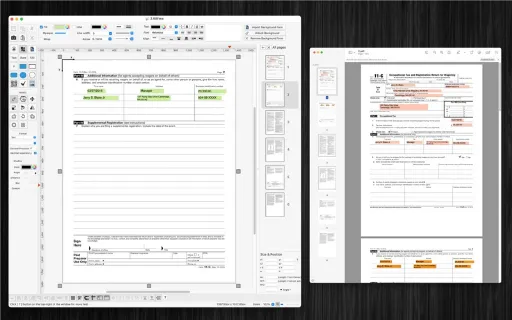
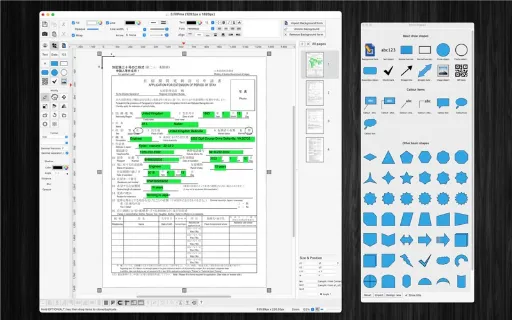
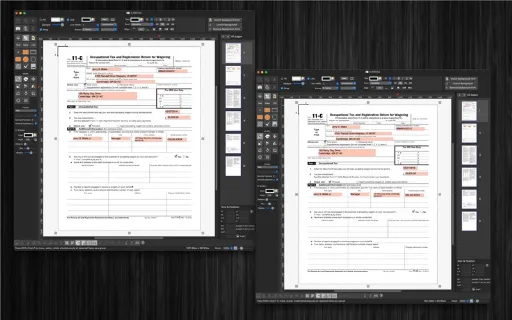
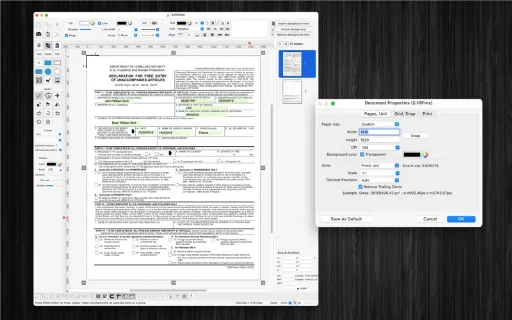
FillForm is a graphical environment for user to fill any form format with ease.
App Store の説明を全文読む
FillForm is a graphical environment for user to fill any form format with ease. How to use the application: + Download any (tax, visa, job application…) form format from the internet (file type: pdf, jpg, png, tiff…) + Drag/drop above form image files into the application (so that they will become background image of the editing document) + Add text/number/date/currency items into the canvas to fill form content + Press CMD-P to print or CMD-E to export to pdf or other image format files + Press CMD-S to save current document into “fillForm” format to reuse later Other functions: – Customisable Color / Font / Size / Line Type – Unlimited Undo/Redo (shortcut key: Cmd-Z / Shift-Cmd-Z) – Copy / Paste (shortcut key: Cmd-C / Cmd-V) – Group / Ungroup Items (shortcut key: Cmd-G / Shift-Cmd-G) – Lock/Unlock items position (shortcut key: Cmd-L / Shift-Cmd-L) – Shadow supported – Snap to Grid – Auto Align with another object when resize or move – Export to png, jpeg, tiff, pdf image file (shortcut key: Cmd-E) – Print supported (shortcut key: Cmd-P)

編集部 PICK UP
Nib
聞き取れるメモ帳。録音すると AI が議事録・要約・次の一手に整えてくれる。
情報
- バージョン
- 1.2
- 最終更新
- 2024/02/03
- リリース
- 2016/03/30
- サイズ
- 12.3 MB
- 必要環境
- iOS 11.0 以降
- 対応端末
- Mac
- 対象年齢
- 4+
- 対応言語
- 日本語、CS、DA、NL ほか17言語
最新バージョンの更新内容
- Support macOS Sonoma (14) - Fix bugs - Improve UI