- 対応
- iOS
どんなアプリ?
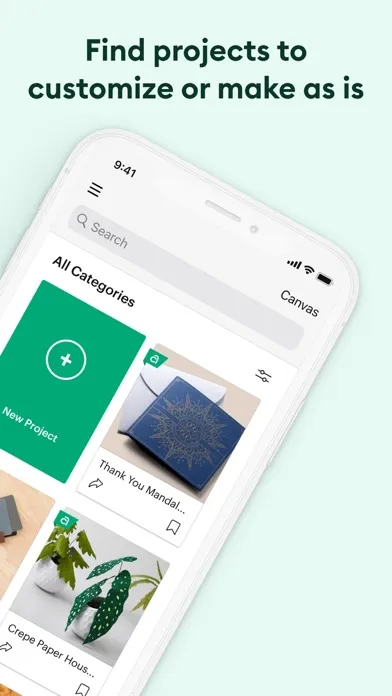
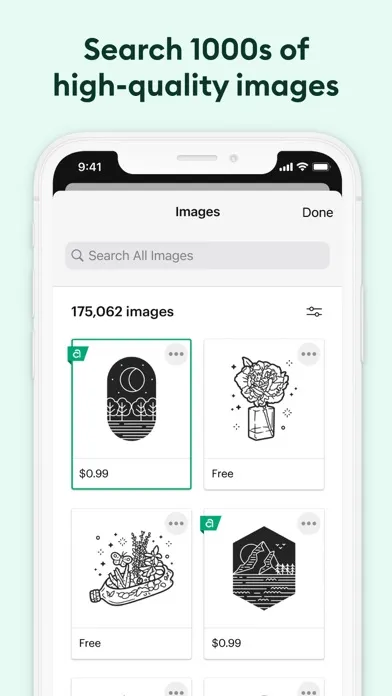
Enjoy total creative freedom over your next DIY project with Cricut Design Space™. Design, cut, or draw by connecting to Cricut Explore™ or Cricut Maker™ machines. Start your project from scratch or browse thousands of images, ready-to-make projects, and unique fonts in the Cricut Image Library. Create from anywhere, any time inspiration sparks with cloud-based syncing across devices.
App Store の説明を全文読む
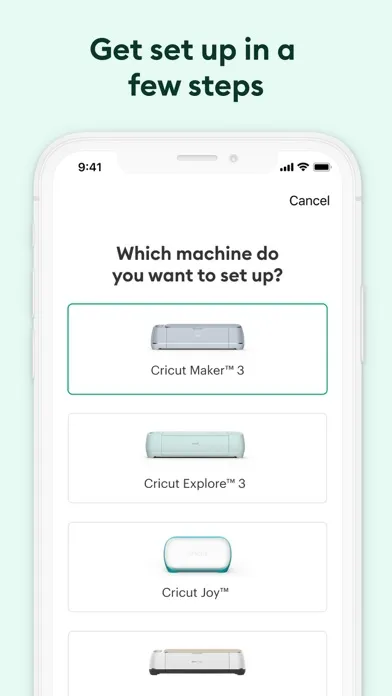
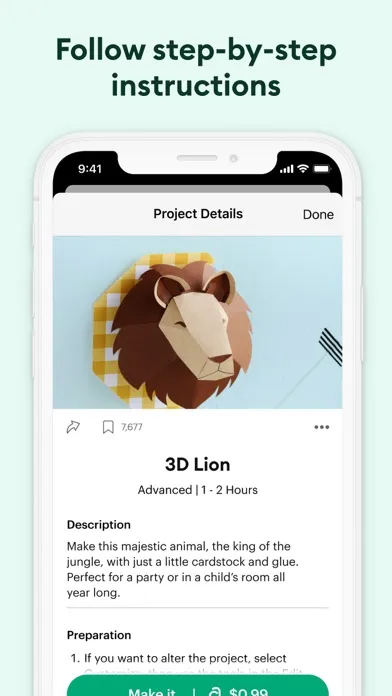
Enjoy total creative freedom over your next DIY project with Cricut Design Space™. Design, cut, or draw by connecting to Cricut Explore™ or Cricut Maker™ machines. Start your project from scratch or browse thousands of images, ready-to-make projects, and unique fonts in the Cricut Image Library. Create from anywhere, any time inspiration sparks with cloud-based syncing across devices. Make the most of every last scrap with the SnapMat™ feature. Connect to your compatible Cricut cutting machine with a Bluetooth® connection. Experience brand-new features like kerning, spell check, right-to-left text & more by upgrading your device to iOS 14 or above. New to Cricut? Welcome! To use this companion Design Space app, first activate your new machine at cricut.com/setup Existing members with Cricut Joy™ machines? For fun or functional projects in 15 minutes or less, use the companion Cricut Joy™ app. Features: • Over 50,000 FREE images, fonts & projects • Upload & edit your own compatible image files (jpg, .bmp, .png, .gif, .svg, and .dxf) • Browse Cricut fonts or use your own system fonts • Cut predesigned Make It Now projects quickly & easily • Make cards, invitations, 3D models & more • Design home & party decor, jewelry, and fashion accessories • Get perfect cut settings for your material type • Visualize & position artwork on scrap material with SnapMat™ feature • Access images & projects and make purchases on cricut.com or Design Space with Cricut ID. • Setup & activate machine right from app • Bluetooth® capability (Bluetooth adapter may be required, sold separately) • Easily position, resize & rotate text • Kerning for fonts • Follow step-by-step project instructions • Ready-to-make mug designs • Auto-save projects Cricut Access: https://cricut.com/legal#terms-of-use

編集部 PICK UP
Nib
聞き取れるメモ帳。録音すると AI が議事録・要約・次の一手に整えてくれる。
人気の推移
App Store(日本)の公式ランキングと評価数を APPBASE が毎日記録しています。
- グラフィック/デザイン・セールス 最高23位 (8/21)
| 日付 | グラフィック/デザイン・セールス |
|---|---|
| 8/28 | 46位 |
| 8/27 | 42位 |
| 8/26 | 51位 |
| 8/25 | 44位 |
| 8/24 | 35位 |
| 8/23 | 39位 |
| 8/22 | 29位 |
| 8/21 | 23位 |
| 8/20 | 35位 |
| 8/19 | 51位 |
| 8/18 | 51位 |
| 8/17 | 40位 |
| 8/16 | 36位 |
| 8/15 | 30位 |
App Store のレビュー
App Store に投稿された実際のユーザーレビューです(公式フィードから自動取得・最新順)。
-
★★★★★ 使いづらい
とにかく使いづらい。結婚式の席札など、一度にたくさんのカットをしたいのにスムーズに動かずイライラする。 趣味程度で使うならしょうがないかもしれないが、仕事では時間だけ取られて効率が悪く全く戦力にならない。
yu912 ・ 2026年6月1日 ・ v6.61.0
-
★★★★★ 少しストレス
簡単なアプリがあって助かりますが、ブレードの圧力で「詳細」を押しても何も出てこず不安になったり、本体がすぐに待機状態になるなどの不満とストレスがあります。 2回目の出力時も、すぐ本体が待機状態で何もしなくなるので電源を抜いたり、オンにしても素材を選択し直さないと動かなかったりします。 また、プラ板の出力設定が簡単に出来るようになると嬉しいです。 試行錯誤して自分で設定しましたが。
paruree ・ 2026年5月14日 ・ v6.59.0
-
★★★★★ 製作が楽しい
楽しく製作ができる。
ai864tm ・ 2025年12月16日 ・ v6.38.0
-
★★★★★ 繋がらない
bluetoothは繋がってるのにアプリでjoyを認識しないんだよなぁ なんでだろぅ…
画面の人 ・ 2025年12月11日 ・ v6.37.0
-
★★★★★ またまたまたまたまたアップデートしたのに テキストが…使えなくてお高い機械がゴミになりそうですが…
濁点文字など正常に入力出来ない いつになったら使えるようになりますか?
( T_T)... ・ 2025年9月28日 ・ v6.26.0
-
★★★★★ テキストで日本語が打てない
日本語ローマ字でひらがなを出そうとするとあああと連続して文字が出たり、ひらがなだと濁点が打てない。漢字変換もされず困っています。他のアプリから文字を持ってきてもキレイにカットできない為すごく困っています。 早急に対応お願いします。
りんこた ・ 2025年9月24日 ・ v6.26.0
レビューの続きは App Store で読めます。
情報
- バージョン
- 6.77.0
- 最終更新
- 2026/09/14
- リリース
- 2018/05/04
- サイズ
- 395.3 MB
- 必要環境
- iOS 17.0 以降
- 対応端末
- iPhone、iPad
- 対象年齢
- 12+
- 対応言語
- 日本語、CS、DA、NL ほか18言語
対象年齢 12+ の理由
- まれ/軽度な性的表現またはヌード
- まれ/軽度なホラーまたは恐怖に関するテーマ
- まれ/軽度なアルコール、タバコ、ドラッグの使用または言及
- まれ/軽度な成人向けまたはわいせつなテーマ
- まれ/軽度な過激な言葉遣いまたは下品なユーモア
最新バージョンの更新内容
• This update contains bug fixes and performance enhancements.