
bVNC Pro - VNC Screen Sharing
iordan iordanov
App Store 評価: ★ 0.0
- 対応
- iOS

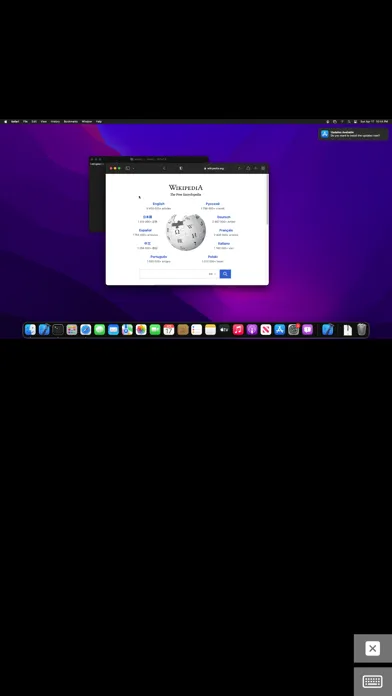
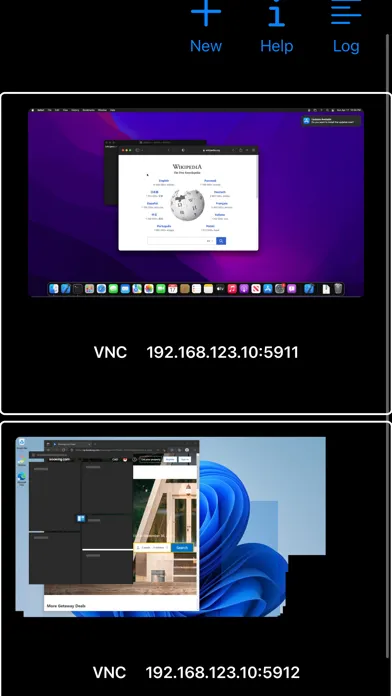
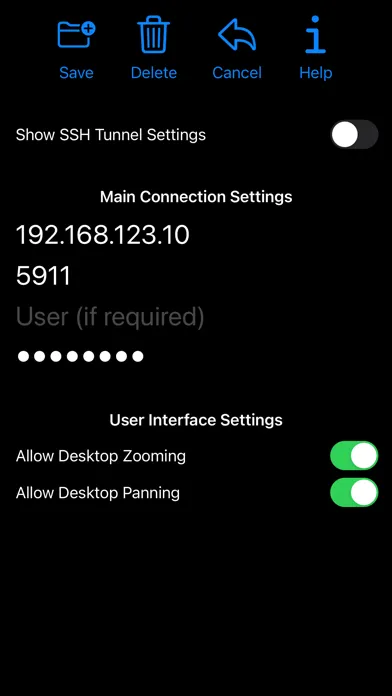
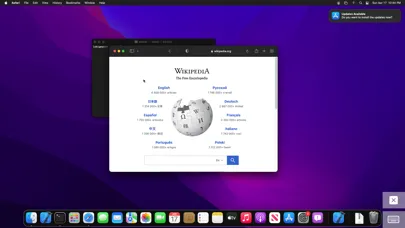
どんなアプリ?
Thank you for supporting my work and GPL open-source software by buying bVNC Pro! If you are unhappy, please don't give us a bad review, instead, request a refund and get in touch by email support _at_ morpheusly _dot_ com: https://support.apple.com/en-ca/118223 Need an RDP app to control Windows, Ubuntu 22.04+ or XRDP remotely? https://apps.apple.com/app/ardp-pro/id1620745523
App Store の説明を全文読む
Thank you for supporting my work and GPL open-source software by buying bVNC Pro! If you are unhappy, please don't give us a bad review, instead, request a refund and get in touch by email support _at_ morpheusly _dot_ com: https://support.apple.com/en-ca/118223 Need an RDP app to control Windows, Ubuntu 22.04+ or XRDP remotely? https://apps.apple.com/app/ardp-pro/id1620745523 Need a SPICE or Proxmox or oVirt client for controlling virtual machines remotely? https://apps.apple.com/app/aspice-pro/id1560593107 If bVNC doesn't work for you or you're unhappy, please do not ask for help in a review but do post your question in the forum: https://groups.google.com/forum/#!forum/bvnc-ardp-aspice-opaque-remote-desktop-clients If you have a feature request, or you found a bug, please open an issue at: https://github.com/iiordanov/remote-desktop-clients/issues - Instructions for Mac OS X: Plain VNC (Remote Desktop for Mac OS X): http://iiordanov.blogspot.ca/2012/04/how-to-connect-to-mac-os-x-using-bvnc.html Secure VNC over SSH: http://iiordanov.blogspot.ca/2012/04/tunneling-vnc-over-ssh-to-mac-os-x.html - Instructions for Windows: Plain VNC: http://iiordanov.blogspot.ca/2012/04/how-to-install-and-connect-to-tightvnc.html Secure VNC over VeNCrypt: https://groups.google.com/d/msg/bvnc-ardp-aspice-opaque-remote-desktop-clients/lINJkYJbN-U/3Q3oHWjjDQAJ Secure VNC over SSH: http://iiordanov.blogspot.ca/2012/04/tunneling-vnc-over-ssh-to-windows.html - Instructions for Ubuntu 20.04 and earlier Linux Plain VNC not tunneled over SSH: https://help.ubuntu.com/stable/ubuntu-help/sharing-desktop.html.en http://www.howtoforge.com/configure-remote-access-to-your-ubuntu-desktop If your business is looking for fixes and features, please get in touch by email at support _at_ morpheusly.com bVNC is a secure, open source VNC client. Its features include: - Controls Windows, Mac, Linux, BSD with VNC server installed - PiKVM compatible - External keyboard support - External mouse support - Magic Trackpad support - Multi-language support - Supports Mac OS X built-in remote desktop server (ARD) and Mac OS X authentication! - Windows, Mac, Linux, BSD, or any other OS with a VNC server installed - Multi-touch control over the remote mouse. One finger tap left-clicks, two-finger tap right-clicks, and three-finger tap middle-clicks - Right and middle-drag and drop if you don't lift the first finger that tapped - Scrolling with a two-finger gesture - Pinch-zoom - Dynamic resolution changes, allowing you to reconfigure your desktop while connected, and control over virtual machines from BIOS to OS - All device orientations - Full desktop visibility even with soft keyboard extended - SSH tunneling, AnonTLS and VeNCrypt for secure connections (does not support RealVNC encryption). - High-grade encryption superior to RDP using SSH and VeNCrypt (x509 certificates and SSL), preventing man-in-the-middle attacks - Tight and CopyRect encodings for quick updates - SSH public/private (pubkey)- Supports most VNC servers including TightVNC, UltraVNC, TigerVNC, (and RealVNC Enterprise only, when configured appropriately) - Clipboard integration for copy/pasting from your device Some of the planned features to look forward to: - AutoX session discovery/creation similar to NX client - Ability to reduce the color depth over slow links - Importing encrypted/unencrypted RSA keys in PEM format - View-only mode - On-device help on available input modes in the Menu when connected GPL source code here: https://gitlab.com/iiordanov/remote-desktop-clients-ios

編集部 PICK UP
Nib
聞き取れるメモ帳。録音すると AI が議事録・要約・次の一手に整えてくれる。
人気の推移
App Store(日本)の公式ランキングと評価数を APPBASE が毎日記録しています。
- 仕事効率化・有料 最高28位 (8/20)
| 日付 | 仕事効率化・有料 |
|---|---|
| 8/23 | 93位 |
| 8/22 | 79位 |
| 8/21 | 56位 |
| 8/20 | 28位 |
| 8/19 | 99位 |
| 8/18 | 69位 |
| 8/17 | 35位 |
| 8/2 | 97位 |
| 8/1 | 75位 |
| 7/31 | 55位 |
情報
- バージョン
- 62
- 最終更新
- 2026/08/28
- リリース
- 2020/04/11
- サイズ
- 8.5 MB
- 必要環境
- iOS 14.0 以降
- 対応端末
- iPhone、iPad
- 対象年齢
- 4+
- 対応言語
- 日本語、英語、韓国語、中国語 ほか1言語
最新バージョンの更新内容
62 - Bug fixes - Stability fixes - Performance optimizations - Disconnecting only after graceperiod ends on iOS (no change on MacOS) 61 - Simulated Touchpad pointer doesn't pan unnecessarily - Pinch Zoom zooms out to original fit-to-screen scaling 60 - Layout improvements for smallest screens - Fix for screenshots - Re-added keyboard icon to Extended Keyboard Accessory view - Improvements to external keyboard detection - Import/Export Settings - Auto-adjustable connection grid - Sorting connections - Menu to organize functionality on the main page - Pinch-zoom follows fingers 59 - Support showing title bar - Keyboard layout improvements - Physical keyboard handling improvements 58 - New Extended Keyboard Accessory replacing the on-screen keys - New Translations - Hardware Keyboard support improvements 57 - Input validation on address and ports - Bugfix for saving new connections when navigating away to Help screen - Menu item improvements - Support quitting app with Cmd-Q when not connected 56 - Bugfixes 54 - Fix for Option to send Meta instead of Alt key when connected to MacOS - UI Improvements for light theme - Scroll sensitivity slider - Fix for Ctrl+Arrows causing occasional issues - Bugfixes